# Getting started
The quickest way to start a napi-rs v3 package is `napi new`. It copies the
maintained package template, applies your package name and target selection,
and optionally creates a GitHub Actions workflow.
..node`, the native addon.
- `index.js`, the generated loader.
- `index.d.ts`, the generated TypeScript declarations when type generation is
enabled.
The important source files in the generated project are:
| Path | Purpose |
| -------------------------- | ------------------------------------------------------------ |
| `src/lib.rs` | Rust functions, structs, and classes exported with `#[napi]` |
| `Cargo.toml` | Rust crate metadata and napi-rs dependencies |
| `build.rs` | Required napi-rs build setup |
| `package.json` | JavaScript scripts, package metadata, and the `napi` config |
| `.github/workflows/CI.yml` | Multi-target build, test, artifact, and publish workflow |
The templates do not check in `npm/`. The publish job creates its per-target
package directories with `napi create-npm-dirs` after the platform builds.
Continue with [A simple package](./simple-package) to edit the Rust API and
call it from Node.js.
## Deep dive
### How the generated package is distributed
napi-rs normally publishes a small root package plus one optional package per
platform. For example, `@cool/core` might depend on:
**package.json**
```json
{
"optionalDependencies": {
"@cool/core-darwin-x64": "1.0.0",
"@cool/core-win32-x64-msvc": "1.0.0",
"@cool/core-linux-arm64-gnu": "1.0.0"
}
}
```
The generated `index.js` first looks for a local addon produced during
development. In an installed package, it loads the optional package matching
the current operating system, CPU, and Linux libc. The package manager uses
the platform package's `os`, `cpu`, and, where applicable, `libc` fields to
avoid installing incompatible binaries.
Using an [npm scope](https://docs.npmjs.com/creating-and-publishing-scoped-public-packages/)
is recommended because every supported target needs a distinct package name.
The `napi.targets` array defines what the project packages; it does **not** make
one `napi build` invocation compile every target. The scaffold can only retain
build jobs already present in its template. For additional accepted targets,
add the config entry, npm directory, and CI build explicitly. See [Support and
compatibility](/docs/more/support-compatibility) and [Cross build](/docs/cross-build).
## Start directly from a template
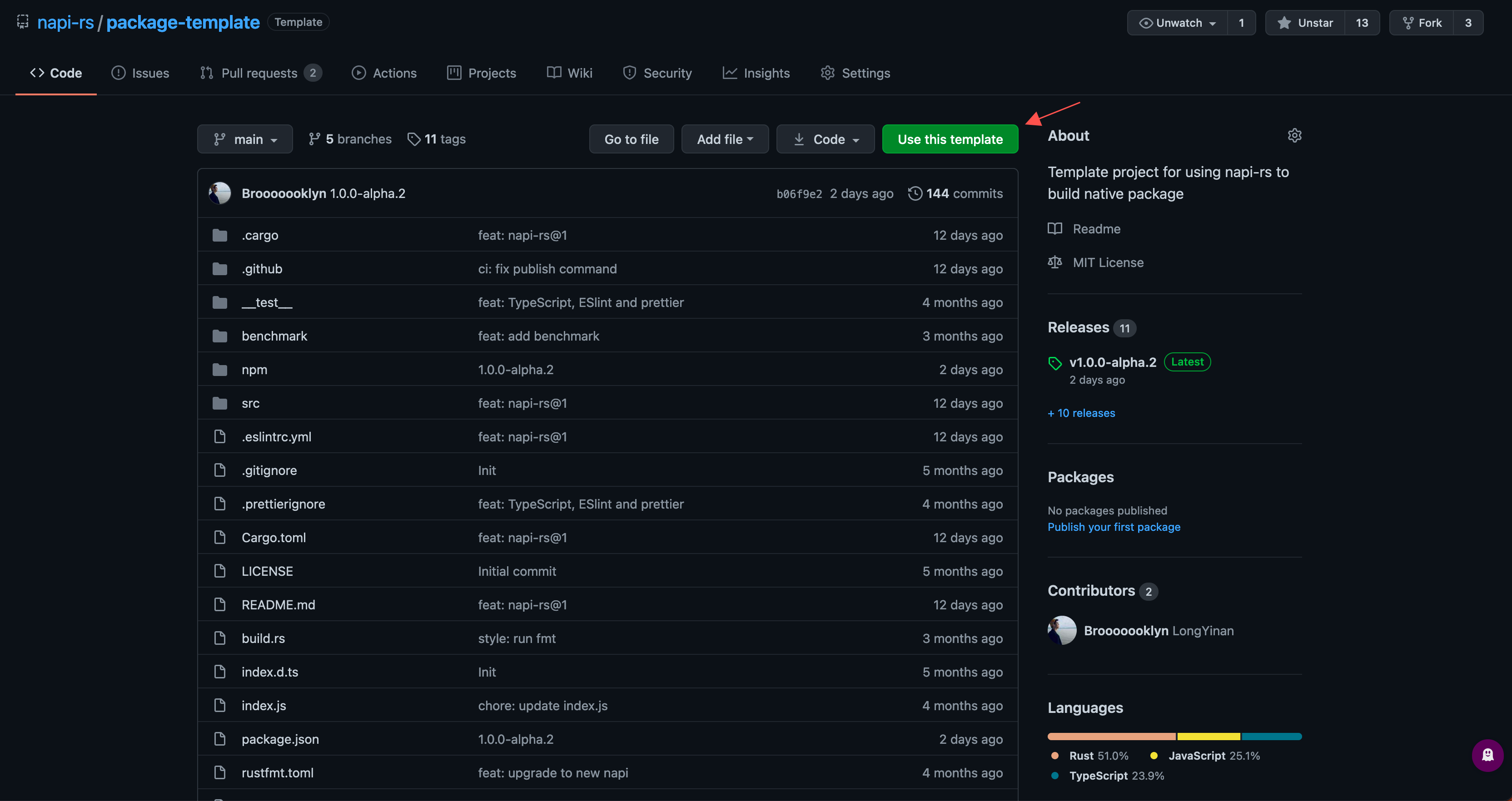
If you prefer GitHub's **Use this template** flow, choose the matching project:
- [Yarn package template](https://github.com/napi-rs/package-template)
- [pnpm package template](https://github.com/napi-rs/package-template-pnpm)
After cloning, install dependencies and run `napi rename` through the selected
package manager before publishing under your own package name.
## Next steps
- [`napi new`](/docs/cli/new) for every scaffold option.
- [Build](/docs/cli/build) and [Cross build](/docs/cross-build) for additional
targets.
- [Release native packages](/docs/deep-dive/release) before publishing anything
to npm.
---
# Build your first package
This tutorial creates a napi-rs v3 addon, calls it from Node.js, and prepares
the project for CI. Complete the [prerequisites](./getting-started#prerequisites)
first.
## Create the project
Choose a package name you control. A scope is strongly recommended because the
release workflow creates one npm package per target.
The following command uses the Yarn template and supplies the non-interactive
defaults for everything else:
```sh
npx @napi-rs/cli new cool \
--name @your-scope/cool \
--no-interactive
```
To use the pnpm template instead:
```sh
pnpm dlx @napi-rs/cli new cool \
--name @your-scope/cool \
--package-manager pnpm \
--no-interactive
```
Replace `@your-scope` before running the command. If you want to choose the
Node-API level, targets, license, and CI workflow interactively, omit
`--no-interactive`.
::: info
`napi new` supports the maintained Yarn and pnpm templates. It does not
generate a generic template that can be switched to an arbitrary package
manager afterward.
:::
## Understand the generated project
Enter the project and install its dependencies:
```sh
cd cool
yarn install
```
Use `pnpm install` for the pnpm template. The files you will work with first
are:
```text
.
├── .github/workflows/CI.yml
├── Cargo.toml
├── build.rs
├── package.json
├── src/lib.rs
└── __test__/index.spec.ts
```
- `src/lib.rs` is the Rust addon source.
- `Cargo.toml` declares a `cdylib` and the napi-rs v3 crates.
- `build.rs` calls the napi-rs build setup and must remain at the crate root.
- `package.json` contains the CLI scripts and `napi` packaging config.
- `.github/workflows/CI.yml` builds and tests the target rows retained from the
template.
`npm/` is not present yet. The publish job creates its per-platform package
directories with `napi create-npm-dirs` after the platform builds finish.
The generated Rust source exports a small function:
**src/lib.rs**
```rust
#![deny(clippy::all)]
use napi_derive::napi;
#[napi]
pub fn plus_100(input: u32) -> u32 {
input + 100
}
```
The macro exposes the Rust function as the JavaScript function `plus100` and
writes the corresponding TypeScript declaration during the build.
## Build the addon
Run the template's release build for your current platform:
::: pm
```sh yarn
yarn build
```
```sh pnpm
pnpm build
```
:::
The script invokes `napi build --platform
--release` and produces files like:
```text
cool.darwin-arm64.node
index.js
index.d.ts
```
The exact `.node` suffix follows your current OS, architecture, and ABI. A
Linux glibc build, for example, uses `linux-x64-gnu`. Use `yarn build:debug`
when you want a debug build.
The generated declaration contains:
**index.d.ts**
```ts
export declare function plus100(input: number): number
```
Call the native function from Node.js:
```sh
node -e "const { plus100 } = require('./index.js'); console.log(plus100(42))"
```
The output is:
```text
142
```
## Change and test the Rust API
Add another exported function to `src/lib.rs`:
**src/lib.rs**
```rust
#[napi]
pub fn multiply(left: i32, right: i32) -> i32 {
left * right
}
```
Rebuild, then verify both the runtime export and generated types:
```sh
yarn build
node -e "const { multiply } = require('./index.js'); console.log(multiply(6, 7))"
```
Add a matching AVA assertion to `__test__/index.spec.ts`:
\***\*test**/index.spec.ts\*\*
```ts
import test from 'ava'
import { multiply } from '../index'
test('multiply in native code', (t) => {
t.is(multiply(6, 7), 42)
})
```
Run the tests:
```sh
yarn test
```
## Prepare the repository
Before pushing the generated workflow, update `package.json`:
- Set `name` to a package and scope you can publish.
- Set `repository` to the final GitHub repository. npm provenance checks this
metadata, so do not leave the template repository URL in place.
- Review `license`, `description`, `keywords`, `homepage`, and `bugs`.
- Review `napi.targets`. It controls package creation and publishing, but each
target still needs an actual CI build job.
If the name or binary name changes later, use the CLI so Cargo, package config,
CI, and generated binding names stay aligned:
```sh
yarn napi rename \
--name @your-scope/cool \
--binary-name cool \
--repository https://github.com/your-name/cool.git
```
Then create and push the repository:
```sh
git init
git add .
git commit -m "Create napi-rs package"
git branch -M main
git remote add origin git@github.com:your-name/cool.git
git push -u origin main
```
## Prepare npm and GitHub Actions
The generated workflow publishes through npm and creates a GitHub release. For
its token-based setup:
1. Create the npm scope and package access you intend to use.
2. Create an npm automation token that can publish the root and every
per-platform package.
3. Add it as the `NPM_TOKEN` Actions secret.
4. Keep the workflow's `contents: write` permission for GitHub releases and
`id-token: write` permission for npm provenance.
5. Run the ordinary CI path successfully before attempting a release.
::: warning
Publishing is not atomic. `napi pre-publish` updates package metadata,
publishes platform packages, and can create or update a GitHub release before
npm publishes the root package. Do not use it as a trial command with real
credentials.
:::
Read [Release native packages](/docs/deep-dive/release) for the complete
preflight, release, and recovery procedure. The exact side effects and flags
are documented under [`napi pre-publish`](/docs/cli/pre-publish).
## Where to go next
- [Release native packages](/docs/deep-dive/release) to publish your package
to npm when you are ready.
- [Testing and debugging](/docs/more/testing-debugging) to grow the test suite
and debug the native side.
- [Values](/docs/concepts/values) for Rust-to-JavaScript conversions.
- [Async functions](/docs/concepts/async-fn) for asynchronous exports.
- [Support and compatibility](/docs/more/support-compatibility) before
expanding the target matrix.
- [Cross build](/docs/cross-build) for non-host builds.
---
# Manual setup
Use this guide when you already have a Rust crate or JavaScript package, need a
minimal project, or want to place the Rust and JavaScript packages in different
parts of a monorepo. If you are starting a standalone package and want the full
release workflow, [`napi new`](/docs/cli/new) is usually faster.
The CLI is a build and packaging tool. Your addon remains an ordinary Cargo
crate, so you can use the workspace layout and package manager you already have.
## Prerequisites
Install a current Rust toolchain, Node.js 22.13+ (or Node.js 24+) for the
current CLI, and the NAPI-RS CLI in the JavaScript package that owns the addon:
```sh
rustc --version
node --version
npm install --save-dev @napi-rs/cli@^3
```
Keeping the CLI local makes local builds and CI use the version recorded by the
project. Run it through a package script or `npx napi`; a global installation is
not required.
## Minimal project
The smallest useful layout is:
```text
my-addon/
├── Cargo.toml
├── build.rs
├── package.json
├── src/
│ └── lib.rs
└── test.cjs
```
### Configure Cargo
The library must be a `cdylib`: Node loads the resulting shared library rather
than linking it into another Rust executable. `napi-build` configures the output
for the host platform, and the default `napi-derive` features enable strict
macro validation and TypeScript definition generation.
**Cargo.toml**
```toml
[package]
name = "my-addon-native"
version = "0.1.0"
edition = "2021"
[lib]
crate-type = ["cdylib"]
[dependencies]
napi = "3"
napi-derive = "3"
[build-dependencies]
napi-build = "2"
```
Create the build script:
**build.rs**
```rust
fn main() {
napi_build::setup();
}
```
### Export a Rust function
**src/lib.rs**
```rust
use napi_derive::napi;
#[napi]
pub fn add(left: i32, right: i32) -> i32 {
left + right
}
```
### Configure the JavaScript package
`binaryName` controls the generated file name. `--platform` adds the current
platform suffix and generates a loader that selects either the local binary or
the corresponding optional platform package.
**package.json**
```json
{
"name": "my-addon",
"version": "0.1.0",
"main": "index.js",
"types": "index.d.ts",
"scripts": {
"build": "napi build --platform",
"build:release": "napi build --platform --release",
"test": "node --test test.cjs"
},
"napi": {
"binaryName": "my-addon"
},
"devDependencies": {
"@napi-rs/cli": "^3"
}
}
```
Build and call the addon:
**test.cjs**
```js
const assert = require('node:assert/strict')
const test = require('node:test')
const { add } = require('./index.js')
test('adds two numbers', () => {
assert.equal(add(2, 3), 5)
})
```
```sh
npm run build
npm test
```
A debug build produces these files in the crate directory by default:
```text
index.d.ts
index.js
my-addon..node
```
The `.node` file is the native library. Import `index.js`, not a hard-coded
platform file: the generated loader also handles libc selection, separately
published platform packages, and an optional WASI fallback.
::: info
Without `--platform`, the CLI copies a single `my-addon.node` file but does
not generate the JavaScript loader. That is useful for low-level experiments;
published packages should normally use `--platform`.
:::
## Common variations
### Async functions
Enable the `async` feature when an exported Rust `async fn` should become a
JavaScript `Promise`:
**Cargo.toml**
```toml
[dependencies]
napi = { version = "3", features = ["async"] }
napi-derive = "3"
tokio = { version = "1", features = ["fs"] }
```
See [Async and concurrency](/docs/more/async-concurrency) before choosing
between Tokio, `AsyncTask`, ThreadsafeFunction, and streams.
### A custom output directory
All paths are relative to `--cwd`. Place the generated JavaScript, TypeScript,
and native files in a JavaScript package with:
```sh
napi build --platform --output-dir ./dist
```
Keep the loader and its local `.node` file together. Moving only `index.js`
breaks its relative lookup.
### A separate config file
By default, the CLI reads the `napi` object from `package.json`. You can move
that object to JSON and pass `--config-path`; when both exist, the separate
file wins.
**napi.config.json**
```json
{
"binaryName": "my-addon",
"packageName": "@scope/my-addon",
"targets": [
"x86_64-unknown-linux-gnu",
"aarch64-apple-darwin",
"x86_64-pc-windows-msvc"
]
}
```
```sh
napi build --platform --config-path napi.config.json
```
`targets` describes the artifacts you intend to package. A local build still
builds one target at a time; pass `--target ` explicitly in CI.
## Cargo and JavaScript workspaces
The Rust crate and the JavaScript package do not have to share a directory.
For example:
```text
workspace/
├── Cargo.toml # [workspace] members = ["crates/native"]
├── crates/
│ └── native/
│ ├── Cargo.toml # package.name = "my-addon-native"
│ ├── build.rs
│ └── src/lib.rs
└── packages/
└── addon/
└── package.json # owns the napi config and generated output
```
Run the CLI from the workspace root while making every path explicit:
```sh
napi build \
--cwd packages/addon \
--manifest-path ../../Cargo.toml \
--package my-addon-native \
--package-json-path package.json \
--output-dir . \
--platform
```
The important distinction is:
| Option | Selects |
| --------------------- | -------------------------------------------------------- |
| `--cwd` | Base directory for all other relative paths |
| `--manifest-path` | Crate or workspace `Cargo.toml` used by `cargo metadata` |
| `--package` | Exact Cargo package name to build inside a workspace |
| `--package-json-path` | JavaScript package and NAPI-RS configuration |
| `--output-dir` | Destination for `.node`, loader, and `.d.ts` files |
If the manifest points at a virtual Cargo workspace, `--package` is required.
The CLI otherwise cannot know which `cdylib` member owns the addon.
## Prepare for distribution
For one local machine, the generated loader and `.node` file are enough. A
published cross-platform package normally uses a separate optional npm package
for every target:
1. Add all release triples to `napi.targets`.
2. Build one `--platform --release --target ` artifact per CI job.
3. Run [`napi create-npm-dirs`](/docs/cli/create-npm-dirs).
4. Download the CI artifacts and run [`napi artifacts`](/docs/cli/artifacts).
5. Follow the [release guide](/docs/deep-dive/release) and read every side
effect of [`napi pre-publish`](/docs/cli/pre-publish) before publishing.
Do not publish a binary built on your development machine as if it supported
other operating systems. Use the [cross-build guide](/docs/cross-build) and test
the final package on each runtime you claim to support.
## What to read next
- [Testing and debugging](/docs/more/testing-debugging)
- [Integrating with applications and bundlers](/docs/more/integrations)
- [Troubleshooting](/docs/more/troubleshooting)
- [NAPI-RS configuration](/docs/cli/napi-config)
---
# Exports
::: info
Unlike defining modules in Node.js, we don't need to explicitly register exports like `module.exports.xxx = xxx`.
The `#[napi]` macro will automatically generate module registering code for you.
This auto registering idea was inspired by [node-bindgen](https://github.com/infinyon/node-bindgen).
:::
## `Function`
Exporting a function is incredibly simple. Just decorate a normal rust function with `#[napi]`:
**lib.rs**
```rust
#[napi]
pub fn sum(a: f64, b: f64) -> f64 {
a + b
}
```
## `Const`
**lib.rs**
```rust
#[napi]
pub const DEFAULT_COST: u32 = 12;
```
**index.d.ts**
```ts
export const DEFAULT_COST: number
```
## `Class`
See [`class section`](./class) for more details.
**lib.rs**
```rust
#[napi(constructor)]
pub struct Animal {
pub name: String,
pub kind: u32,
}
#[napi]
impl Animal {
#[napi]
pub fn change_name(&mut self, new_name: String) {
self.name = new_name;
}
}
```
## `Enum`
See [`enum section`](./enum) for more details.
**lib.rs**
```rust
#[napi]
pub enum Kind {
Dog,
Cat,
Duck,
}
```
## `exports` object
You can use the `#[napi(module_exports)]` attribute to access the `exports` object.
**lib.rs**
```rust
use napi::bindgen_prelude::*;
use napi_derive::napi;
#[napi(module_exports)]
pub fn exports(mut export: Object) -> Result<()> {
let symbol = Symbol::new("NAPI_RS_SYMBOL");
export.set_named_property("NAPI_RS_SYMBOL", symbol)?;
Ok(())
}
```
## Namespaces
For larger addons you can group related exports into nested JavaScript module objects instead of flattening everything onto the root `exports`. There are two ways:
- `#[napi] mod name { ... }` — export an inline Rust module as a namespace. Every child item that also carries `#[napi]` is exported inside it (nested napi modules are not supported). Add `#[napi(js_name = "...")]` on the `mod` to rename the namespace object.
- `#[napi(namespace = "...")]` on individual functions, classes, impl blocks, enums, consts, and type aliases — registers that item under `exports.`; apply the same namespace to a class and its `impl` blocks. See [`namespace` in the attributes reference](/docs/concepts/napi-attributes#naming-and-exports).
The canonical example is [`examples/napi/src/js_mod.rs`](https://github.com/napi-rs/napi-rs/blob/main/examples/napi/src/js_mod.rs):
**lib.rs**
```rust
#[napi]
mod xxh3 {
use napi::bindgen_prelude::{BigInt, Buffer};
#[napi]
pub const ALIGNMENT: u32 = 16;
#[napi(js_name = "xxh3_64")]
pub fn xxh64(input: Buffer) -> u64 {
let mut h: u64 = 0;
for i in input.as_ref() {
h = h.wrapping_add(*i as u64);
}
h
}
#[napi]
pub struct Xxh3 {
inner: BigInt,
}
#[napi]
impl Xxh3 {
#[napi(constructor)]
pub fn new() -> Xxh3 {
// ...
}
}
}
#[napi]
mod xxh2 {
use napi::bindgen_prelude::*;
#[napi]
pub fn xxh2_plus(a: u32, b: u32) -> u32 {
a + b
}
}
```
The members are reached through the namespace objects on the package exports:
**index.ts**
```ts
import { xxh2, xxh3 } from './index.js'
xxh3.xxh3_64(Buffer.from('hello')) // function renamed with js_name
console.log(xxh3.ALIGNMENT) // 16
const hasher = new xxh3.Xxh3() // classes live inside the namespace too
xxh2.xxh2Plus(1, 2) // 3
```
And the generated `.d.ts` mirrors the nesting with `export declare namespace`:
**index.d.ts**
```ts
export declare namespace xxh2 {
export function xxh2Plus(a: number, b: number): number
}
export declare namespace xxh3 {
export class Xxh3 {
constructor()
}
export const ALIGNMENT: number
export function xxh3_64(input: Buffer): bigint
}
```
---
# Function
Defining a JavaScript `function` is very simple in **NAPI-RS**. Just a plain Rust `fn`:
**lib.rs**
```rust
#[napi]
pub fn sum(a: u32, b: u32) -> u32 {
a + b
}
```
The most important thing you should keep in mind is **_NAPI-RS fn does not support every Rust type_**. Each argument type must implement `FromNapiValue`, and each return type must implement `ToNapiValue`.
The canonical conversion matrix — argument and return types, direction, ownership, and required Cargo features — lives in [Type conversions](/docs/concepts/type-conversions). The short version for functions:
- Numbers (`u32`, `i32`, `i64`, `f64`), `bool`, and `String` map to their JavaScript equivalents in both directions.
- `Option` as an argument accepts `T`, `null`, or `undefined` (`T | null | undefined`); as a return type, `None` becomes `null` (`T | null`).
- `Vec`, tuples, `HashMap`, and `#[napi(object)]` structs map to JavaScript arrays and plain objects.
- `Buffer` and the typed-array wrappers map to `Buffer` and `TypedArray`.
- `Function` and `ThreadsafeFunction` accept JavaScript callbacks with fully typed signatures (see below).
- An `async fn` or an `AsyncTask` return maps to `Promise`.
## Return Type
The return type of a `#[napi] fn` is converted with `ToNapiValue` and appears directly in the generated `.d.ts`. A `Result` return throws on `Err` instead of producing a value. See the [Type conversions](/docs/concepts/type-conversions) reference for the complete mapping, including BigInt output types (`i64n`, `i128`, `u128`) and async returns.
## `Function` as parameter
You can pass a `Function` as a parameter to a `fn`:
**lib.rs**
```rust
use napi::bindgen_prelude::*;
use napi_derive::napi;
#[napi]
pub fn call_function(callback: Function) -> Result {
callback.call(1)
}
```
⬇️ ⬇️ ⬇️ ⬇️ ⬇️ ⬇️ ⬇️ ⬇️ ⬇️
**index.d.ts**
```ts
export declare function callFunction(callback: (arg: number) => number): number
```
::: info
You can also create a `Function` at the Rust side, see [`Env::create_function`](/docs/concepts/env#create_function)
:::
## `FnArgs`
When the number of parameters exceeds 1, you can use `FnArgs` to define the parameters.
::: info
The `tuple` type can be converted to `FnArgs` by calling `.into()`.
:::
**lib.rs**
```rust {6}
use napi::bindgen_prelude::*;
use napi_derive::napi;
#[napi]
pub fn call_function_with_args(callback: Function, u32>) -> Result {
callback.call((1, 2).into())
}
```
⬇️ ⬇️ ⬇️ ⬇️ ⬇️ ⬇️ ⬇️ ⬇️ ⬇️
**index.d.ts**
```ts
export declare function callFunctionWithArgs(
callback: (arg1: number, arg2: number) => number,
): number
```
## `apply`
Like JavaScript, you can also use `apply` to call a `Function` with the `this` value.
**lib.rs**
```rust
use napi::bindgen_prelude::*;
use napi_derive::napi;
#[napi]
pub struct RustClass {
pub name: String,
}
#[napi]
impl RustClass {
#[napi(constructor)]
pub fn new(name: String) -> Self {
Self { name }
}
}
#[napi]
pub fn call_function_with_apply(
this: ClassInstance,
callback: Function<(), ()>,
) -> Result<()> {
callback.apply(this, ())
}
```
**index.ts**
```ts
import { callFunctionWithApply, RustClass } from './index.js'
const rustClass = new RustClass('foo')
callFunctionWithApply(rustClass, function () {
console.log(this.name) // foo
})
```
## `create_ref`
See [**Function Reference**](/docs/concepts/reference#functionref) for more details.
## `build_threadsafe_function`
You can build a `ThreadsafeFunction` from a `Function` by calling `build_threadsafe_function`.
The return type of the `build_threadsafe_function` is a `ThreadsafeFunctionBuilder`.
By default, the `ThreadsafeFunctionBuilder` will create a `ThreadsafeFunction` with the default options:
::: info
See [**ThreadsafeFunction**](/docs/concepts/threadsafe-function) for the details of options
:::
::: tip
Since you can pass `ThreadsafeFunction` and `Arc` directly to the `#[napi] fn`, only use the `build_threadsafe_function` when you are need to create a `ThreadsafeFunction` dynamically.
:::
- `max_queue_size` is `0`
- `weak` is `false`
- `callee_handled` is `true`
- `error_status` is `napi::Status`
**lib.rs**
```rust
use napi::{bindgen_prelude::*, threadsafe_function::ThreadsafeFunctionCallMode};
use napi_derive::napi;
#[napi]
pub fn build_threadsafe_function_from_function(
callback: Function, u32>,
) -> Result<()> {
let tsfn = callback.build_threadsafe_function().build()?;
let jh = std::thread::spawn(move || {
tsfn.call((1, 2).into(), ThreadsafeFunctionCallMode::NonBlocking);
});
Ok(())
}
```
---
# Values
Conversions between Rust and JavaScript types.
This page introduces common values. For the complete source-backed matrix—including conversion direction, ownership, Cargo features, `Option`, `Either`, collections, paths, functions, Promises, streams, and Node-API levels—see [Type conversions](/docs/concepts/type-conversions).
### Undefined
Represent `undefined` in JavaScript.
**lib.rs**
```rust {3}
#[napi]
pub fn get_undefined() -> Undefined {
()
}
// default return or empty tuple `()` are `undefined` after converted into JS value.
#[napi]
pub fn log(n: u32) {
println!("{}", n);
}
```
**index.d.ts**
```ts
export function getUndefined(): void
export function log(n: number): void
```
### Null
Represents `null` value in JavaScript.
**lib.rs**
```rust {3}
#[napi]
pub fn get_null() -> Null {
Null
}
#[napi]
pub fn get_env(env: String) -> Option {
match std::env::var(env) {
Ok(val) => Some(val),
Err(_) => None,
}
}
```
**index.d.ts**
```ts
export function getNull(): null
export function getEnv(env: string): string | null
```
`Option` accepts `T`, `null`, or `undefined` as an argument, but returns `null` for `None`. In an `#[napi(object)]` field, the default representation is an optional property and `None` is omitted on output; `#[napi(use_nullable)]` instead makes it a required `T | null` property. See [`Option`, `null`, and `undefined`](/docs/concepts/type-conversions#option-null-and-undefined) for the full position-dependent mapping.
### Numbers
JavaScript `Number` type with Rust Int/Float types: `u32`, `i32`, `i64`, `f64`.
For Rust types like `u64`, `u128`, `i128`, checkout [`BigInt`](#bigint) section.
**lib.rs**
```rust
#[napi]
pub fn sum(a: u32, b: i32) -> i64 {
i64::from(a) + i64::from(b)
}
```
**index.d.ts**
```ts
export function sum(a: number, b: number): number
```
### String
Represents JavaScript `String` type.
**lib.rs**
```rust {3}
#[napi]
pub fn greet(name: String) -> String {
format!("greeting, {}", name)
}
```
**index.d.ts**
```ts
export function greet(name: string): string
```
### Boolean
Represents JavaScript `Boolean` type.
**lib.rs**
```rust
#[napi]
pub fn is_good() -> bool {
true
}
```
**index.d.ts**
```ts
export function isGood(): boolean
```
### Buffer
**lib.rs**
```rust
#[napi]
pub fn with_buffer(buf: Buffer) {
let buf: Vec = buf.into();
// do something
}
#[napi]
pub fn read_buffer(file: String) -> Result {
Ok(std::fs::read(file)?.into())
}
```
**index.d.ts**
```ts
export function withBuffer(buf: Buffer): void
export function readBuffer(file: string): Buffer
```
### Object
Represents JavaScript anonymous object values.
::: warning
**Performance**
The costs of `Object` conversions between JavaScript and Rust are higher than other primitive types.
Every call of `Object.get("key")` is actually dispatched to node side including two steps: fetch value, convert JS to rust value, and so is `Object.set("key", v)`.
:::
**lib.rs**
```rust
#[napi]
pub fn keys(obj: Object) -> Result> {
Object::keys(&obj)
}
#[napi]
pub fn log_string_field(obj: Object, field: String) -> Result<()> {
println!("{}: {:?}", &field, obj.get::(&field)?);
Ok(())
}
#[napi]
pub fn create_obj(env: &Env) -> Result {
let mut obj = Object::new(env)?;
obj.set("test", 1)?;
Ok(obj)
}
```
**index.d.ts**
```ts
export function keys(obj: object): Array
export function logStringField(obj: object, field: string): void
export function createObj(): object
```
If you want **NAPI-RS** to convert objects from JavaScript with the same shape defined in Rust, you can use the `#[napi]` macro with the `object` attribute.
**lib.rs**
```rust
use std::collections::HashMap;
/// #[napi(object)] requires all struct fields to be public
#[napi(object)]
pub struct PackageJson {
pub name: String,
pub version: String,
pub dependencies: Option>,
pub dev_dependencies: Option>,
}
#[napi]
pub fn log_package_name(package_json: PackageJson) {
println!("name: {}", package_json.name);
}
#[napi]
pub fn example_package_json() -> PackageJson {
PackageJson {
name: "example".to_owned(),
version: "1.0.0".to_owned(),
dependencies: None,
dev_dependencies: None,
}
}
```
**index.d.ts**
```ts
export interface PackageJson {
name: string
version: string
dependencies?: Record
devDependencies?: Record
}
export function logPackageName(packageJson: PackageJson): void
export function examplePackageJson(): PackageJson
```
::: warning
**Clone over Reference**
The `#[napi(object)]` struct passed to a Rust `fn` is cloned from the **_JavaScript Object_**. Any mutation on it will not be reflected in the original **_JavaScript_** object.
:::
`#[napi(object)]` is an owned plain-object shape, not a class. Use `#[napi] struct` for native class identity and methods, `#[napi(transparent)]` for a Rust newtype with the inner JavaScript representation, or `#[napi(array)]` for a tuple-shaped array. See [Type conversions](/docs/concepts/type-conversions#objects-classes-and-custom-shapes).
**lib.rs**
```rust
/// #[napi(object)] requires all struct fields to be public
#[napi(object)]
pub struct Animal {
pub name: String,
}
#[napi]
pub fn change_animal_name(mut animal: Animal) {
animal.name = "cat".to_string();
}
```
```js
const animal = { name: 'dog' }
changeAnimalName(animal)
console.log(animal.name) // "dog"
```
### Array
Because `Array` values in JavaScript can hold elements with different types, but Rust `Vec`
can only contain elements of the same type, there are two different ways to handle array types.
::: warning
**Performance**
Because JavaScript `Array` type is actually backed by `Object`, the performance of manipulating `Array`s is the same as `Object`s.
The conversion between `Array` and `Vec` is even heavier, which is in `O(n)` complexity.
:::
**lib.rs**
```rust
#[napi]
pub fn arr_len(arr: Array) -> u32 {
arr.len()
}
#[napi]
pub fn get_tuple_array(env: &Env) -> Result {
let mut arr = env.create_array(2)?;
arr.insert(1)?;
arr.insert("test")?;
Ok(arr)
}
#[napi]
pub fn vec_len(nums: Vec) -> Result {
u32::try_from(nums.len())
.map_err(|_| Error::new(Status::InvalidArg, "Array is too large"))
}
#[napi]
pub fn get_nums() -> Vec {
vec![1, 1, 2, 3, 5, 8]
}
```
**index.d.ts**
```ts
export function arrLen(arr: unknown[]): number
export function getTupleArray(): unknown[]
export function vecLen(nums: Array): number
export function getNums(): Array
```
### BigInt
This requires the `napi6` feature.
::: warning
The only way to pass `BigInt` in `Rust` is using `BigInt` type. But you can
return `BigInt`, `i64n`, `u64`, `i128`, `u128`. Return `i64` will be treated
as `JavaScript` number, not `BigInt`.
:::
::: tip
The reason why Rust functions can't receive `i128` `u128` `u64` `i64n` as
arguments is that they may lose precision when converting JavaScript `BigInt`
into them. You can use `BigInt::get_u128`, `BigInt::get_i128`, etc. to get the
value in `BigInt`. The return value of these methods also indicates whether
precision is lost.
:::
**lib.rs**
```rust
/// the return value of `get_u128` is (signed: bool, value: u128, lossless: bool)
#[napi]
pub fn bigint_add(a: BigInt, b: BigInt) -> Result {
let (a_signed, a_value, a_lossless) = a.get_u128();
let (b_signed, b_value, b_lossless) = b.get_u128();
if a_signed || b_signed || !a_lossless || !b_lossless {
return Err(Error::new(
Status::InvalidArg,
"both values must be lossless, non-negative u128 integers",
));
}
a_value.checked_add(b_value).ok_or_else(|| {
Error::new(Status::InvalidArg, "u128 addition overflowed")
})
}
#[napi]
pub fn create_big_int_i128() -> i128 {
100
}
```
**index.d.ts**
```ts
export function bigintAdd(a: bigint, b: bigint): bigint
export function createBigIntI128(): bigint
```
### TypedArray
::: tip
Unlike JavaScript Object, the `TypedArray` passed into Rust fn is a
**Reference**. No data `Copy` or `Clone` will be performed. Every mutation on
the `TypedArray` will be reflected to the original JavaScript `TypedArray`.
:::
**lib.rs**
```rust
#[napi]
pub fn convert_u32_array(input: Uint32Array) -> Vec {
input.to_vec()
}
#[napi]
pub fn create_external_typed_array() -> Uint32Array {
Uint32Array::new(vec![1, 2, 3, 4, 5])
}
#[napi]
pub fn mutate_typed_array(mut input: Float32Array) {
for item in unsafe { input.as_mut() } {
*item *= 2.0;
}
}
```
**index.d.ts**
```ts
export function convertU32Array(input: Uint32Array): Array
export function createExternalTypedArray(): Uint32Array
export function mutateTypedArray(input: Float32Array): void
```
**test.mjs**
```js
import { convertU32Array, mutateTypedArray } from './index.js'
convertU32Array(new Uint32Array([1, 2, 3, 4, 5])) // [1, 2, 3, 4, 5]
const values = new Float32Array([1, 2, 3, 4, 5])
mutateTypedArray(values)
console.log(values) // Float32Array(5) [ 2, 4, 6, 8, 10 ]
```
---
# Type conversions
Every exported argument must implement `FromNapiValue` (or one of the reference conversion traits), and every returned value must implement `ToNapiValue`. The generated TypeScript type is useful documentation, but the Rust trait implementation is what determines whether a conversion is actually available.
This reference describes napi-rs v3's bindgen runtime. For the lower-level handles such as `JsString` and `JsObject`, see [Env and low-level values](/docs/concepts/env).
## Direction legend
| Mark | Meaning |
| --------- | ---------------------------------------------------------------------------------------------------------------- |
| JS → Rust | The type can be used as an exported function argument. |
| Rust → JS | The type can be returned or assigned to a JavaScript value. |
| Scoped | The Rust value borrows a Node-API environment or JavaScript callback scope and must not escape it. |
| Owned | Conversion creates or retains Rust-owned data that can outlive the callback, subject to the type's `Send` rules. |
::: warning
A TypeScript mapping does not imply both conversion directions. For example,
`u64` generates `bigint` but is output-only; use `BigInt` when accepting an
arbitrary JavaScript `bigint` so you can check whether narrowing is lossless.
:::
## Primitive values
| Rust type | JavaScript / TypeScript | Direction | Ownership and caveats | Feature / minimum Node-API |
| ----------------------------------------------- | --------------------------------------------- | --------- | ------------------------------------------------------------------------------------------------------------------------------------------------------------------------------------------------------------------------------------------------------------------------------------------------------------------------------ | --------------------------------------- |
| `()` / `Undefined` | `undefined`; a function return becomes `void` | Both | Zero-sized marker. Under `strict`, input must be `undefined`. | Base API |
| `Null` | `null` | Both | Explicit null marker. Plain input conversion accepts and discards any value; under `strict`, input must be `null`. | Base API |
| `bool` | `boolean` | Both | Copied. | Base API |
| `i8`, `u8`, `i16`, `u16`, `i32`, `u32` | `number` | Both | Integer conversion; JavaScript still stores a Number. | Base API |
| `f32` | `number` | Rust → JS | Widened to a JavaScript double; there is no `FromNapiValue` implementation. Use `f64` for input. | Base API |
| `f64` | `number` | Both | JavaScript Number is IEEE-754 double precision. | Base API |
| `i64` | `number` | Both | Uses Node-API's signed 64-bit Number conversion. Values outside JavaScript's safe-integer range can lose precision. | Base API |
| `BigInt` | `bigint` | Both | Keeps a sign bit and little-endian `u64` words. Its getters report whether narrowing was lossless. | `napi6` |
| `u64`, `u128`, `i128`, `usize`, `isize`, `i64n` | `bigint` | Rust → JS | Output-only to avoid silently narrowing arbitrary JavaScript BigInts. | `napi6` |
| `String` | `string` | Both | Owned UTF-8 string. | Base API |
| `&str` | `string` | Rust → JS | Borrowed Rust output only; JavaScript strings cannot be accepted as `&str`. Use `String` for input. | Base API |
| `Utf16String` | `string` | Both | Owned UTF-16 code units; useful when exact UTF-16 representation matters. | Base API |
| `Latin1String` | `string` | Both | Owns Latin-1 bytes. Formatting it as UTF-8 requires `latin1`. | Base API; `latin1` for decoding/display |
| `OsString`, `PathBuf` | `string` | Both | Owned. Windows uses UTF-16 and preserves unpaired surrogates. Unix output rejects a non-Unicode path rather than replacing bytes. | Base API |
| `&OsStr`, `&Path` | `string` | Rust → JS | Borrowed output. Same platform caveats as the owned forms. | Base API |
| `Symbol` | `symbol` | Both | Plain input conversion discards the value without retaining identity or description. `#[napi(strict)]` first validates that it is a symbol, but still does not retain it. Returning `Symbol` creates one from Rust descriptor state. Use scoped `JsSymbol` to preserve an existing value. `Symbol::for_desc` needs Node-API 9. | Base API; `napi9` for global symbols |
`i64` deliberately maps to `number`, while `i64n` maps to `bigint`. Prefer the wrapper only when the JavaScript API is intended to expose a BigInt.
**lib.rs**
```rust
#[napi]
pub fn inspect_bigint(value: BigInt) -> Result {
let (negative, narrowed, lossless) = value.get_u64();
if negative || !lossless {
return Err(Error::from_reason("value does not fit in u64"));
}
Ok(narrowed)
}
```
The return type above is `bigint` because `u64` is a BigInt output type.
## `Option`, `null`, and `undefined` {#option-null-and-undefined}
`Option` has an intentionally asymmetric mapping:
| Position | JavaScript accepted or produced | Generated TypeScript |
| ------------------------------------------------------------------------------- | ------------------------------------------------------------------------------------------------------------------------------------------------------------------------------------------------------------------------------------------- | -------------------------------------------------------------------- |
| Function argument | `T`, `null`, or `undefined`; both nullish values become `None` | `T \| null \| undefined` and normally an optional trailing parameter |
| Function return | `Some(T)` becomes `T`; `None` becomes `null` | `T \| null` |
| `#[napi(object)]` or structured-shape field with default `use_nullable = false` | Missing or `undefined` becomes `None`; explicit `null` is passed to the inner `T` conversion and normally fails; `None` is omitted on output | `field?: T` |
| `#[napi(object)]` or structured-shape field with `use_nullable = true` | Missing or `undefined` is an error; `null` becomes `None`; `None` is emitted as `null` | `field: T \| null` |
| Public class field | The accessor always exists. An `Option` getter emits `null` for `None`, and a writable setter accepts the normal nullish `Option` inputs. `use_nullable` changes the generated property/constructor shape, not whether the accessor exists. | Default: `field?: T`; with `use_nullable`: `field: T \| null` |
Use `Null` or `Undefined` when the distinction itself is part of the API. Use `Either` or `Either` when exactly one nullish value is accepted.
**lib.rs**
```rust
#[napi]
pub fn optional_name(value: Option) -> Option {
value.filter(|name| !name.is_empty())
}
#[napi]
pub fn null_but_not_undefined(value: Either) -> bool {
matches!(value, Either::B(Null))
}
```
::: info
Non-trailing optional parameters may be emitted as required unions so that a
later required parameter remains callable in TypeScript. The union still
accepts `undefined` and `null`.
:::
## Unions with `Either`
`Either` through `Either26` map to TypeScript unions. On input, napi-rs tests variants from left to right with each type's `ValidateNapiValue` implementation, then converts the first match.
**lib.rs**
```rust
#[napi]
pub fn normalize_id(value: Either) -> String {
match value {
Either::A(number) => number.to_string(),
Either::B(text) => text,
}
}
```
**index.d.ts**
```ts
export function normalizeId(value: number | string): string
```
Wider unions work the same way: `Either3` and `Either4` are generated alongside `Either` (and so on up to `Either26`), with variants named `A`, `B`, `C`, `D`, …:
**lib.rs**
```rust
#[napi]
pub fn either3(input: Either3) -> u32 {
match input {
Either3::A(s) => s.len() as u32,
Either3::B(n) => n,
Either3::C(b) => u32::from(b),
}
}
```
**index.d.ts**
```ts
export function either3(input: string | number | boolean): number
```
Order overlapping alternatives from most specific to least specific. Validation for a plain `Object`, for example, cannot prove a complete object schema. `Either` is a runtime union, not a serde-style untagged enum with backtracking after arbitrary user code.
## Arrays, tuples, maps, and sets
| Rust type | JavaScript / TypeScript | Direction | Conversion behavior | Feature |
| -------------------------------------------- | ----------------------------- | --------------------------------- | ------------------------------------------------------------------------------------------------------------------------------------------ | ----------------- |
| `Vec` | `Array` | Both | Copies/converts every element. Input requires each element to implement `FromNapiValue`. | Base API |
| `[T; N]` | `Array` | Rust → JS | Creates a JavaScript array. | Base API |
| Rust tuples, up to supported generated arity | TypeScript tuple / JS Array | Both | Input must have at least the tuple's length; each indexed element is converted. | Base API |
| `Array<'env>` | `unknown[]` | JS → Rust and scoped pass-through | Scoped handle with `get`, `get_ref`, `set`, and `insert`; avoids converting the whole array up front. | Base API |
| `HashMap`, `BTreeMap` | `Record` / plain object | Both | Uses own enumerable string-keyed properties. This is **not** JavaScript `Map`. Keys must convert to/from strings. | Base API |
| `IndexMap` | `Record` / plain object | Both | Uses the same own enumerable string-keyed property shape while preserving Rust insertion order where JavaScript's property rules allow it. | `object_indexmap` |
| `HashSet`, `BTreeSet` | `Set` | Both | Constructs or iterates an actual JavaScript `Set`. | Base API |
| `IndexSet` | `Set` | Both | Insertion-ordered Rust set. | `object_indexmap` |
Conversion of `Vec` and collections is O(n). Use scoped `Array`, `Object`, typed-array views, or a stream when you need incremental access rather than an owned copy.
## Objects, classes, and custom shapes {#objects-classes-and-custom-shapes}
| Rust type or declaration | JavaScript / TypeScript | Direction | Ownership / identity |
| ---------------------------------------- | ----------------------------------- | --------------------------------------------------------------------- | ---------------------------------------------------------------------------------------------------------- |
| `Object<'env>` | `object` | Both within scope | Direct scoped handle. Property access crosses the Node-API boundary on each operation. |
| `ObjectRef` | `object` | Both | Holds a Node-API reference so the object can outlive the callback. |
| `Unknown<'env>` | `unknown` | Both within scope | Unchecked scoped handle; inspect/coerce it explicitly. |
| `#[napi(object)] struct` | Plain object / interface | Controlled by `object_from_js` and `object_to_js`, both on by default | JavaScript input is converted into a new owned Rust struct. Mutating it does not mutate the source object. |
| `#[napi] struct` | JavaScript class | Through class references and instances | Preserves native class identity. Methods receive `&self`/`&mut self`; public fields become accessors. |
| `ClassInstance<'env, T>` | An instance of class `T` | JS → Rust / scoped output | Use inside object fields or collections when the JavaScript class instance itself is needed. |
| `#[napi(transparent)] struct Wrapper(T)` | Same representation as `T` | Controlled per direction | Rust newtype without a JavaScript wrapper object. |
| `#[napi(array)]` tuple struct | JavaScript array / TypeScript tuple | Controlled per direction | Named Rust type with positional JavaScript representation. |
| Structured `#[napi] enum` | Discriminated object union | Controlled per direction | Owned conversion; discriminator defaults to `type`. |
Do not treat a class as an object shape. A normal read-write public class field
needs both output conversion for its getter and input conversion for its setter;
a `readonly` field needs only output conversion, while a skipped class field has
no accessor. For nested class values, accept `&T`, `ClassInstance`, or use
`Array::get_ref`; `Vec` requires an owned `FromNapiValue` implementation and
is therefore not the way to accept a list of class instances.
See [Classes](/docs/concepts/class), [Objects](/docs/concepts/object), [Enums](/docs/concepts/enum), and [`#[napi]` attributes](/docs/concepts/napi-attributes) for shape-specific examples.
## Buffers, ArrayBuffers, and typed arrays
| Rust type | JavaScript / TypeScript | Direction | Lifetime and data behavior | Feature / minimum Node-API |
| -------------------------------------------------- | ------------------------- | ----------------------------------- | ------------------------------------------------------------------------------------------------------------------------ | ------------------------------------- |
| `BufferSlice<'env>` | Node.js `Buffer` | Both within a synchronous scope | Mutable borrowed view for synchronous code. Do not hold it across `await`. | Base API |
| `Buffer` | Node.js `Buffer` | Both | Keeps a reference to JavaScript-owned data and is designed for async use. Cloning references the same underlying buffer. | Best lifecycle handling with `napi4` |
| `ArrayBuffer<'env>` | `ArrayBuffer` | JS → Rust and scoped pass-through | Borrowed bytes tied to the environment. | Base API |
| `Int8Array`, `Uint8Array`, … | Corresponding typed array | Both | Owned/reference-retaining wrappers suitable for async use. | BigInt array variants require `napi6` |
| `Int8ArraySlice<'env>`, `Uint8ArraySlice<'env>`, … | Corresponding typed array | Both within scope | Borrowed views for synchronous code. | BigInt array variants require `napi6` |
| `&[i8]`, `&[u8]`, `&[i16]`, … | Corresponding typed array | JS → Rust in a synchronous callback | Borrowed slice; cannot outlive the callback. | BigInt slices require `napi6` |
External buffers and ArrayBuffers can be zero-copy when the runtime accepts external backing stores. A runtime may reject external buffers; constructors such as `BufferSlice::from_data` then fall back to a copy. Do not promise zero-copy behavior across every Node-compatible runtime. See [Typed arrays](/docs/concepts/typed-array) and [Understanding lifetime](/docs/concepts/understanding-lifetime).
## Dates and serde JSON
| Rust type | JavaScript / TypeScript | Direction | Feature / caveat |
| --------------------------------------- | --------------------------------------------------------- | ---------------------- | ------------------------------------------------------------------------------------------------ |
| `Date` (`JsDate`) | `Date` | Scoped low-level value | `napi5` |
| `chrono::DateTime`, `NaiveDateTime` | `Date` | Both | `chrono_date`, which enables `chrono` and `napi5`; milliseconds since epoch determine precision. |
| `serde_json::Value` | JSON-compatible JavaScript value | Both | `serde-json`; rejects functions, `undefined`, symbols, and external values. |
| `serde_json::Map` | Plain object | Both | `serde-json` |
| `serde_json::Number` | Number, BigInt, or string depending value and enabled API | Both | `serde-json`; with `napi6`, out-of-safe-range integers are emitted as BigInt. |
`serde_json::Value` is not a lossless representation of arbitrary JavaScript. In particular, a large input BigInt may become a JSON number when it fits or a decimal string when it does not. Use `BigInt` when BigInt identity and exact narrowing rules matter.
`serde-json-ordered` additionally enables serde_json's `preserve_order` behavior.
## Functions, promises, and streams
| Rust type | JavaScript / TypeScript | Direction | Lifetime / feature |
| ------------------------------ | ------------------------- | -------------------------------------------------- | ---------------------------------------------------------------------------------------------------------------------------------------------------------------------------------------------- |
| `Function<'env, Args, Return>` | Typed JavaScript function | JS → Rust in scope; can be passed through in scope | Calls JavaScript only on its owning thread. Use `FnArgs<(...)>` for multiple positional arguments. |
| `FunctionRef` | Typed JavaScript function | JS → Rust / retained reference | Owns a Node-API reference but does not implement `ToNapiValue`. To pass it back, call `borrow_back(env)` to obtain a scoped `Function`; still use it only in the owning environment/thread. |
| `ThreadsafeFunction<...>` | Typed callback | JS → Rust, then callable from other threads | `napi4`; see [ThreadsafeFunction](/docs/concepts/threadsafe-function). |
| `Promise` | `Promise` | JS → Rust only | Awaitable Rust future. Requires the async runtime for normal exported async use. |
| `PromiseRaw<'env, T>` | `Promise` | Scoped JS promise handle | Supports `then`, `catch`, and `finally` without moving the promise to another thread. |
| Rust `async fn` return | `Promise` | Rust → JS | `async` or `tokio_rt`; `Result::Err` rejects. |
| `AsyncTask` | `Promise` | Rust → JS | Runs `compute` on libuv's worker pool. |
| `ReadableStream<'env, T>` | Web `ReadableStream` | Both | `web_stream`; construction needs `T: Send + 'static` and a `Send + 'static` Rust stream. |
| `WriteableStream<'env>` | Web `WritableStream` | JS → Rust and scoped pass-through | `web_stream`; the Rust API is currently spelled `WriteableStream`, and the type generator does not canonicalize that spelling, so use `ts_arg_type = "WritableStream"` for a public parameter. |
`ReadableStream::new` checks that the runtime provides a global `ReadableStream`. Node-API 4 alone does not guarantee the Web Streams global; `with_readable_stream_class` accepts a compatible constructor explicitly.
## External native data
`External` exposes an opaque, type-tagged native allocation to JavaScript. It is not serialized and its generated type is `ExternalObject`.
- Return an owned `External` to transfer it into a JavaScript external value.
- Accept `&External` or `&mut External` to borrow and type-check the wrapped value.
- Use `ExternalRef` when Rust must keep a JavaScript reference to the external.
- `External::new_with_size_hint` reports native allocation size to the JavaScript garbage collector; the number is a GC accounting hint, not a memory limit.
See [External](/docs/concepts/external) for lifecycle details.
## Validation is not coercion
Most generated functions convert according to their `FromNapiValue` implementation. Adding `#[napi(strict)]` first invokes `ValidateNapiValue` and rejects a mismatched top-level JavaScript type. It does not coerce strings to numbers, and it does not recursively validate every property before conversion.
`#[napi(return_if_invalid)]` performs the same validation but returns `undefined` on invalid input instead of throwing. See [`#[napi]` attributes](/docs/concepts/napi-attributes) for its constraints.
## Choosing an ownership model
Use this order of preference:
1. Use owned Rust values (`String`, `Vec`, `#[napi(object)]`) when a copy is acceptable and the value must cross threads or await points.
2. Use scoped handles and slices (`Object<'env>`, `Array<'env>`, `BufferSlice<'env>`, typed-array slices) for synchronous, zero- or low-copy access.
3. Use reference-retaining wrappers (`Buffer`, `ObjectRef`, `FunctionRef`, `Reference`) when JavaScript-owned data must outlive the callback.
4. Use `ThreadsafeFunction` to invoke JavaScript from another thread; never move a scoped JavaScript handle there.
5. Use a stream when data should be produced incrementally instead of copied into one collection.
The compiler enforces many of these boundaries through lifetimes and `Send`, but an `unsafe` method or raw Node-API handle can bypass them. Read [Understanding lifetime](/docs/concepts/understanding-lifetime) before doing so.
---
# Object
`Object` is very easy to confuse with the use of `Class`. Unlike `Class` you can't assign `function` or `method` to `Object`.
**lib.rs**
```rust
#[napi(object)]
pub struct Pet {
pub name: String,
pub kind: u32,
}
```
Any `impl` block of this `struct` will not affect the JavaScript `Object`.
::: warning
If you want to convert a Rust `struct` into JavaScript `Object` using
`#[napi(object)]` attribute, you need to mark all of its fields as `pub`.
:::
Once `struct` is marked as `#[napi(object)]`, you can use it as a function argument type or return type.
**lib.rs**
```rust
#[napi(object)]
pub struct Pet {
pub name: String,
pub kind: u32,
}
#[napi]
pub fn print_pet(pet: Pet) {
println!("{}", pet.name);
}
#[napi]
pub fn create_cat() -> Pet {
Pet {
name: "cat".to_string(),
kind: 1,
}
}
```
::: warning
The JavaScript Object passed in or returned from Rust is cloned. This means
any mutation on JavaScript `Object` will not affect the original Rust
`struct`. And any mutation on Rust `struct` will not affect the JavaScript
`Object` either.
:::
---
# Class
::: tip
There is no concept of a class in Rust. We use `struct` to represent a
JavaScript `Class`.
:::
## Choose the right JavaScript shape
`#[napi]` on a struct creates a JavaScript class with native identity and methods. Other struct attributes create value shapes instead:
| Rust declaration | JavaScript representation | Use it for |
| ---------------------------------------- | ------------------------------------------------ | ---------------------------------------------------------- |
| `#[napi] struct` | Class instance backed by one Rust value | Stateful native objects, methods, identity, and references |
| `#[napi(object)] struct` | Plain object copied to/from an owned Rust struct | Records, options, and configuration shapes |
| `#[napi(transparent)] struct Wrapper(T)` | The inner value `T` | Rust newtypes that should not add a JavaScript wrapper |
| `#[napi(array)]` tuple struct | JavaScript Array / TypeScript tuple | Fixed positional data |
See [Type conversions](/docs/concepts/type-conversions) for direction and ownership rules and [`#[napi]` attributes](/docs/concepts/napi-attributes) for the complete shape controls.
## `Constructor`
### Default `constructor`
If all fields in a `Rust` struct are `pub`, then you can use `#[napi(constructor)]` to make the `struct` have a default `constructor`.
**lib.rs**
```rust
#[napi(constructor)]
pub struct AnimalWithDefaultConstructor {
pub name: String,
pub kind: u32,
}
```
**index.d.ts**
```ts
export class AnimalWithDefaultConstructor {
name: string
kind: number
constructor(name: string, kind: number)
}
```
Every public field is part of the JavaScript API: napi-rs generates a getter and, unless the field is `#[napi(readonly)]`, a setter. Its Rust type must therefore support the generated JavaScript conversion direction. Keep native-only state private, as `count` is in the custom-constructor example below.
### Custom `constructor`
If you want to define a custom `constructor`, you can use `#[napi(constructor)]` on your constructor `fn` in the struct `impl` block.
**lib.rs**
```rust
#[napi(js_name = "QueryEngine")]
pub struct JsQueryEngine {
count: u32,
}
#[napi]
impl JsQueryEngine {
#[napi(constructor)]
pub fn new() -> Self {
JsQueryEngine { count: 0 }
}
}
```
**index.d.ts**
```ts
export class QueryEngine {
constructor()
}
```
::: warning
**NAPI-RS** does not currently support `private constructor`. Your custom
constructor must be `pub` in Rust.
:::
## Factory
Besides `constructor`, you can also define factory methods on `Class` by using `#[napi(factory)]`.
**lib.rs**
```rust
#[napi(js_name = "QueryEngine")]
pub struct JsQueryEngine {
count: u32,
}
#[napi]
impl JsQueryEngine {
#[napi(factory)]
pub fn with_initial_count(count: u32) -> Self {
JsQueryEngine { count }
}
}
```
**index.d.ts**
```ts
export class QueryEngine {
static withInitialCount(count: number): QueryEngine
constructor()
}
```
::: warning
If no `#[napi(constructor)]` is defined in the `struct`, and you attempt to
create an instance (`new`) of the `Class` in JavaScript, an error will be
thrown.
:::
**test.mjs**
```js {3}
import { QueryEngine } from './index.js'
new QueryEngine() // Error: Class contains no `constructor`, cannot create it!
```
## `class method`
You can define a JavaScript class method with `#[napi]` on a struct method in **Rust**.
**lib.rs**
```rust
#[napi(js_name = "QueryEngine")]
pub struct JsQueryEngine {
count: u32,
}
#[napi]
impl JsQueryEngine {
#[napi(factory)]
pub fn with_initial_count(count: u32) -> Self {
JsQueryEngine { count }
}
/// Class method
#[napi]
pub async fn query(&self, query: String) -> napi::Result {
Ok(format!("{query}: {}", self.count))
}
#[napi]
pub fn status(&self) -> napi::Result {
Ok(self.count)
}
}
```
**index.d.ts**
```ts
export class QueryEngine {
static withInitialCount(count: number): QueryEngine
constructor()
query(query: string): Promise
status(): number
}
```
::: warning
`async fn` needs the `napi4` and `tokio_rt` features to be enabled.
:::
::: tip
Any `fn` in `Rust` that returns `Result` will be treated as `T` in JavaScript/TypeScript. If the `Result` is `Err`, a JavaScript Error will be thrown.
:::
## `Getter`
Define [JavaScript class `getter`](https://developer.mozilla.org/en-US/docs/Web/JavaScript/Reference/Functions/get) using `#[napi(getter)]`. The Rust `fn` must be a struct method, not an associated function.
**lib.rs**
```rust
#[napi(js_name = "QueryEngine")]
pub struct JsQueryEngine {
count: u32,
}
#[napi]
impl JsQueryEngine {
#[napi(factory)]
pub fn with_initial_count(count: u32) -> Self {
JsQueryEngine { count }
}
/// Class method
#[napi]
pub async fn query(&self, query: String) -> napi::Result {
Ok(format!("{query}: {}", self.count))
}
#[napi(getter)]
pub fn status(&self) -> napi::Result {
Ok(self.count)
}
}
```
**index.d.ts**
```ts {4}
export class QueryEngine {
static withInitialCount(count: number): QueryEngine
constructor()
get status(): number
}
```
## `Setter`
Define [JavaScript class `setter`](https://developer.mozilla.org/en-US/docs/Web/JavaScript/Reference/Functions/set) using `#[napi(setter)]`. The Rust `fn` must be a struct method, not an associated function.
**lib.rs**
```rust
#[napi(js_name = "QueryEngine")]
pub struct JsQueryEngine {
count: u32,
}
#[napi]
impl JsQueryEngine {
#[napi(factory)]
pub fn with_initial_count(count: u32) -> Self {
JsQueryEngine { count }
}
/// Class method
#[napi]
pub async fn query(&self, query: String) -> napi::Result {
Ok(format!("{query}: {}", self.count))
}
#[napi(getter)]
pub fn status(&self) -> napi::Result {
Ok(self.count)
}
#[napi(setter)]
pub fn count(&mut self, count: u32) {
self.count = count;
}
}
```
**index.d.ts**
```ts {5}
export class QueryEngine {
static withInitialCount(count: number): QueryEngine
constructor()
get status(): number
set count(count: number)
}
```
## Class as argument
`Class` is different from [`Object`](./object). The Rust value is wrapped by a JavaScript instance and managed by that environment's garbage collector. Pass the instance back to Rust as `&T` for shared access or `&mut T` for mutable access; the value is not cloned from a plain object.
Only public struct fields become JavaScript properties. They are writable by default because napi-rs generates both accessors; `#[napi(readonly)]` suppresses the setter, and `#[napi(skip)]` suppresses both accessors. Private fields remain native implementation details. A writable field needs both `ToNapiValue` and `FromNapiValue`; a readonly field needs only `ToNapiValue`. See the [field attribute reference](/docs/concepts/napi-attributes#fields), including the `#[napi(constructor)]` shorthand limitation.
**lib.rs**
```rust {1,5}
#[napi]
pub fn accept_class(engine: &QueryEngine) {
// ...
}
#[napi]
pub fn accept_class_mut(engine: &mut QueryEngine) {
// ...
}
```
**index.d.ts**
```ts
export function acceptClass(engine: QueryEngine): void
export function acceptClassMut(engine: QueryEngine): void
```
For nested class instances, arrays of class instances, and `ClassInstance`, see the [class section of the conversion reference](/docs/concepts/type-conversions#objects-classes-and-custom-shapes).
## Property attributes
The default Property attributes are `writable = true`, `enumerable = true` and `configurable = true`. You can control the Property attributes over the `#[napi]` macro:
**lib.rs**
```rust {20}
use napi::bindgen_prelude::*;
use napi_derive::napi;
// A complex struct that cannot be exposed to JavaScript directly.
#[napi]
pub struct QueryEngine {
num: i32,
}
#[napi]
impl QueryEngine {
#[napi(constructor)]
pub fn new() -> Result {
Ok(Self {
num: 42,
})
}
// writable / enumerable / configurable
#[napi(writable = false)]
pub fn get_num(&self) -> i32 {
self.num
}
}
```
In this case, the `getNum` method of `QueryEngine` is not writable:
**main.mjs**
```js {4}
import { QueryEngine } from './index.js'
const qe = new QueryEngine()
qe.getNum = function () {} // TypeError: Cannot assign to read only property 'getNum' of object '#'
```
## Custom Finalize logic
**NAPI-RS** will drop the Rust struct wrapped in the JavaScript object when the JavaScript object is garbage collected. You can also specify custom finalize logic for the Rust struct.
**lib.rs**
```rust
use napi::bindgen_prelude::*;
use napi_derive::napi;
#[napi(custom_finalize)]
pub struct CustomFinalize {
width: u32,
height: u32,
inner: Vec,
}
#[napi]
impl CustomFinalize {
#[napi(constructor)]
pub fn new(mut env: Env, width: u32, height: u32) -> Result {
let inner_size = u64::from(width)
.checked_mul(u64::from(height))
.and_then(|pixels| pixels.checked_mul(4))
.and_then(|bytes| usize::try_from(bytes).ok())
.ok_or_else(|| Error::new(Status::InvalidArg, "image dimensions are too large"))?;
let external_size = i64::try_from(inner_size)
.map_err(|_| Error::new(Status::InvalidArg, "image dimensions are too large"))?;
let mut inner = Vec::new();
inner.try_reserve_exact(inner_size).map_err(|err| {
Error::new(
Status::GenericFailure,
format!("failed to allocate image buffer: {err}"),
)
})?;
inner.resize(inner_size, 0);
env.adjust_external_memory(external_size)?;
Ok(Self {
width,
height,
inner,
})
}
}
impl ObjectFinalize for CustomFinalize {
fn finalize(self, mut env: Env) -> Result<()> {
let external_size = i64::try_from(self.inner.len())
.map_err(|_| Error::new(Status::InvalidArg, "image buffer is too large"))?;
env.adjust_external_memory(-external_size)?;
Ok(())
}
}
```
First, you can set `custom_finalize` attribute in `#[napi]` macro, and NAPI-RS will not generate the default `ObjectFinalize` for the Rust struct.
Then, you can implement `ObjectFinalize` yourself for the Rust struct.
In this case, the `CustomFinalize` struct increases external memory in the **constructor** and decreases it in `fn finalize`.
## `instance of`
There is `fn instance_of` on all `#[napi]` class:
**lib.rs**
```rust {9}
use napi::bindgen_prelude::*;
use napi_derive::napi;
#[napi(constructor)]
pub struct NativeClass {}
#[napi]
pub fn is_native_class_instance(env: &Env, value: Unknown) -> Result {
NativeClass::instance_of(env, &value)
}
```
**main.mjs**
```js
import { NativeClass, isNativeClassInstance } from './index.js'
const nc = new NativeClass()
console.log(isNativeClassInstance(nc)) // true
console.log(isNativeClassInstance(1)) // false
```
---
# Enum
::: warning
There is no `enum` in JavaScript, and Rust `enum` is very different from
TypeScript `enum`. You need to read this section carefully before you use Rust
`enum` in JavaScript.
:::
In **NAPI-RS**, Rust `enum` is basically transformed into a plain JavaScript Object.
**lib.rs**
```rust
#[napi]
pub enum Kind {
Duck,
Dog,
Cat,
}
```
⬇️ ⬇️ ⬇️ ⬇️ ⬇️ ⬇️ ⬇️ ⬇️ ⬇️
**index.d.ts**
```ts
export const enum Kind {
Duck,
Dog,
Cat,
}
```
In `TypeScript`, numeric `enum` members also get a reverse mapping from enum values to enum names. However, in Rust, we don't have this reverse mapping behavior. It is just a plain JavaScript Object.
Numeric variants default to consecutive `i32` values starting at zero. Explicit Rust integer discriminants are preserved, and following implicit variants continue from the previous value.
## String enum
**lib.rs**
```rust
#[napi(string_enum)]
pub enum Kind {
Duck,
Dog,
Cat,
}
```
⬇️ ⬇️ ⬇️ ⬇️ ⬇️ ⬇️ ⬇️ ⬇️ ⬇️
**index.d.ts**
```ts
export const enum Kind {
Duck = 'Duck',
Dog = 'Dog',
Cat = 'Cat',
}
```
Use `string_enum = "case"` to transform every variant name, or `#[napi(value = "...")]` on one variant to choose its exact JavaScript value. Supported cases are listed in the [`#[napi]` attribute reference](/docs/concepts/napi-attributes#enums).
**lib.rs**
```rust
#[napi(string_enum = "kebab-case")]
pub enum AccessMode {
ReadOnly,
#[napi(value = "read-write")]
Writable,
}
```
## Structured enum
An enum with a data-carrying variant becomes a discriminated object union rather than a JavaScript enum object.
**lib.rs**
```rust
#[napi]
pub enum Event {
Ready,
FileChanged { path: String },
Progress(u32, u32),
}
```
**index.d.ts**
```ts
export type Event =
| { type: 'Ready' }
| { type: 'FileChanged'; path: string }
| { type: 'Progress'; field0: number; field1: number }
```
The discriminator is `type` by default. Change it with `discriminant = "kind"`, and transform variant values with `discriminant_case = "camelCase"` or another supported case. Named variant fields keep their names; tuple fields become `field0`, `field1`, and so on. A field cannot have the same JavaScript name as the discriminator.
Structured enum conversion is owned: accepting one reads and converts its fields into a Rust enum value, while returning one creates a new JavaScript object. `object_from_js = false` or `object_to_js = false` can make the type one-directional. See [Type conversions](/docs/concepts/type-conversions#objects-classes-and-custom-shapes).
**NAPI-RS** doesn't support generating Rust `enum` `impl` into JavaScript.
---
# Errors and panics
Expected failures should cross the native boundary as `napi::Result`, an alias for `std::result::Result`. napi-rs turns the `Err` into a synchronous exception or a Promise rejection according to the exported API.
**lib.rs**
```rust
use napi::bindgen_prelude::*;
use napi_derive::napi;
#[napi]
pub fn divide(left: f64, right: f64) -> Result {
if right == 0.0 {
return Err(Error::new(Status::InvalidArg, "right must not be zero"));
}
Ok(left / right)
}
```
**index.mjs**
```js
try {
divide(1, 0)
} catch (error) {
console.error(error.code) // "InvalidArg"
console.error(error.message) // "right must not be zero"
}
```
TypeScript does not encode thrown exceptions or rejected Promises. Document domain errors in JSDoc and test their JavaScript shape.
## The core types
```rust
pub type Result = std::result::Result>;
pub struct Error {
pub status: S,
pub reason: String,
pub cause: Option>,
// private reference to an original JavaScript exception when available
}
```
| Field | JavaScript meaning | Notes |
| ----------------- | ------------------ | --------------------------------------------------------------------------- |
| `reason` | `error.message` | Human-readable description. |
| `status.as_ref()` | `error.code` | `Status` is primarily a Node-API status, not an application error taxonomy. |
| `cause` | `error.cause` | Set with `set_cause`; nested causes are converted recursively. |
Use `Error::from_reason(message)` for a `GenericFailure`, or `Error::new(status, message)` when a Node-API status conveys useful information.
**lib.rs**
```rust
#[napi]
pub fn load_config() -> Result<()> {
std::fs::read_to_string("config.json")
.map(|_| ())
.map_err(|source| {
let mut error = Error::new(Status::GenericFailure, "could not load config");
error.set_cause(Error::from(source));
error
})
}
```
`Error` implements conversions for common failures including `std::io::Error` and `std::ffi::NulError`. With `serde-json`, it also converts `serde_json::Error` to `Status::InvalidArg`.
## Synchronous functions
When a synchronous exported function returns `Err`, the generated callback throws a JavaScript `Error` before returning to JavaScript.
| Rust return | JavaScript behavior |
| ----------------------------- | ------------------------------------------------- |
| `T` | Returns a value. Conversion failures still throw. |
| `Result` with `Ok(value)` | Converts and returns `value`. |
| `Result` with `Err(error)` | Throws an `Error`. |
Argument conversion happens before the Rust function is called. A wrong input type therefore throws a conversion error even if the function's Rust return type is not `Result`.
## Async functions
After its arguments have converted successfully, an exported Rust `async fn`
returns a JavaScript Promise:
| Future outcome | JavaScript behavior |
| ------------------------------- | --------------------------------------------- |
| `T` | Fulfills the Promise after converting `T`. |
| `Result::Ok(value)` | Fulfills the Promise with `value`. |
| `Result::Err(error)` | Rejects the Promise with the converted error. |
| Return-value conversion failure | Rejects the Promise. |
Argument validation and conversion still run synchronously before that Promise
is created. Invalid input can therefore throw synchronously. With
`#[napi(return_if_invalid)]`, invalid input returns `undefined` synchronously
instead, even though the generated declaration still describes the successful
path as returning `Promise`.
**lib.rs**
```rust
#[napi]
pub async fn read_text(path: String) -> Result {
napi::tokio::fs::read_to_string(&path)
.await
.map_err(|source| {
let mut error = Error::new(Status::GenericFailure, format!("could not read {path}"));
error.set_cause(source.into());
error
})
}
```
This example requires `napi`'s `async` (or `tokio_rt`) and `tokio_fs`
features. See [async fn](/docs/concepts/async-fn) for runtime and lifetime rules.
### Async stack traces
Errors constructed after work moves to another thread normally have a stack beginning at the rejection point, not the original JavaScript call. The optional `deferred_trace` feature captures a JavaScript error when the deferred Promise is created and reuses that stack when rejecting a napi-rs deferred.
**Cargo.toml**
```toml
[dependencies]
napi = { version = "3", features = ["async", "deferred_trace"] }
```
This adds an error object/reference to each affected deferred operation. Enable it when the diagnostic value is worth that allocation and reference-management cost.
## `AsyncTask`
`AsyncTask` runs `Task::compute` in libuv's worker pool and completes the Promise on the JavaScript thread.
1. `compute` returns `Result` off the JavaScript thread.
2. `Ok(output)` is passed to `resolve` on the JavaScript thread.
3. `Err(error)` is passed to `reject` on the JavaScript thread.
4. The resulting `JsValue` resolves the Promise; an error from `resolve` or `reject` rejects it.
5. `finally` runs after either path for cleanup.
The default `Task::reject` simply returns the same `Err`, so the Promise rejects. A custom `reject` may instead return `Ok(fallback)`, which **recovers** and fulfills the Promise.
**lib.rs**
```rust
impl Task for Lookup {
type Output = String;
type JsValue = String;
fn compute(&mut self) -> Result {
self.lookup().map_err(Error::from)
}
fn resolve(&mut self, _: Env, output: Self::Output) -> Result {
Ok(output)
}
fn reject(&mut self, _: Env, error: Error) -> Result {
if error.status == Status::GenericFailure {
Ok("default".to_owned()) // Promise fulfillment, not rejection
} else {
Err(error)
}
}
}
```
Cancellation before libuv starts the task rejects with an error whose name is `AbortError`. Once the task has started, cancellation is not guaranteed to stop the computation. See [AsyncTask](/docs/concepts/async-task).
## ThreadsafeFunction errors
ThreadsafeFunction has two error strategies:
- With `CalleeHandled = true` (the default), the JavaScript callback is error-first: `(error, value) => ...`. Call it with `Ok(value)` or `Err(error)`.
- With `CalleeHandled = false`, the generated callback has no error parameter and the Rust call accepts the value directly. Handle native failures before calling it.
`call_with_return_value` reports the callback result to its Rust completion
callback. With `CalleeHandled = true`, `call_async` also returns a JavaScript
throw as `Err`. With `CalleeHandled = false`, use `call_async_catch`; plain
`call_async` routes a synchronous throw through `napi_fatal_exception` instead.
Fire-and-forget calls cannot turn a later JavaScript throw into the return value
of the originating Rust call.
ThreadsafeFunction queue and lifecycle failures use Node-API statuses such as `QueueFull` or `Closing`; always inspect the return value of non-blocking or async call methods when the API provides one. See [ThreadsafeFunction](/docs/concepts/threadsafe-function) for its complete generic parameters and call modes.
## Custom error codes
`Error` accepts any status type implementing `AsRef`. This sets `error.code` without changing the JavaScript error subclass.
**lib.rs**
```rust
#[derive(Debug)]
pub enum ConfigError {
Missing,
Invalid,
}
impl AsRef for ConfigError {
fn as_ref(&self) -> &str {
match self {
Self::Missing => "ERR_CONFIG_MISSING",
Self::Invalid => "ERR_CONFIG_INVALID",
}
}
}
#[napi]
pub fn validate_config(present: bool) -> Result<(), ConfigError> {
if present {
Ok(())
} else {
Err(Error::new(ConfigError::Missing, "configuration is required"))
}
}
```
The generated wrapper accepts the custom status because it only needs `AsRef`. If lower-level napi-rs APIs must convert their `Status` into the custom type, also implement `From`.
## Error subclasses and arbitrary thrown values
Returning an ordinary `Error` from an exported function produces a JavaScript `Error`. To throw a more specific built-in subclass directly, use `Env`:
**lib.rs**
```rust
#[napi]
pub fn set_percentage(env: Env, value: f64) -> Result<()> {
if !(0.0..=100.0).contains(&value) {
return env.throw_range_error("percentage must be between 0 and 100", Some("ERR_RANGE"));
}
Ok(())
}
```
Available helpers include `throw_error`, `throw_type_error`, and `throw_range_error`. `throw_syntax_error` requires `napi9`. `Env::throw(value)` can throw any `ToNapiValue`, including a custom JavaScript error object.
The lower-level wrappers `JsError`, `JsTypeError`, `JsRangeError`, and, with `napi9`, `JsSyntaxError` can construct or throw those subclasses when working with raw environments.
::: warning
After calling an `Env::throw_*` method, return immediately. A JavaScript
exception is pending in that environment; continuing to call unrelated
Node-API operations can replace or obscure the original failure.
:::
## Preserving a JavaScript exception
Converting an `Unknown` JavaScript value into `Error` records its message and
cause. On native builds it also attempts to retain a reference to the original
value. When that retained value is a JavaScript `Error` and the Rust error is
converted back in its owning JavaScript environment, napi-rs can reuse the
object, preserving its subclass, stack, and custom properties. A retained
non-`Error` value is not passed through by `Result` error conversion; napi-rs
rebuilds a generic `Error` from the owned error data instead.
**lib.rs**
```rust
#[napi]
pub fn pass_error_through(value: Unknown) -> Result<()> {
Err(value.into())
}
```
Important boundaries:
- `Error::try_clone` always preserves owned status, reason, and cause information.
- With Node-API 4 lifecycle support, a clone can share the retained reference safely across threads, but the original object is only dereferenced on its owning JavaScript thread.
- When an error is surfaced in another environment/thread, napi-rs rebuilds a fresh generic `Error` from status, reason, and cause rather than touching a foreign environment.
- WASI builds do not retain a native `napi_ref`; they rebuild from the available data.
Do not use `try_clone` as a guarantee of JavaScript object identity across workers or isolates.
## `anyhow`
Enable `error_anyhow` to add conversion from `anyhow::Error` and re-export the dependency through napi-rs:
**Cargo.toml**
```toml
[dependencies]
napi = { version = "3", features = ["error_anyhow"] }
```
**lib.rs**
```rust
#[napi]
pub fn parse_document(source: String) -> Result {
parse(&source).map_err(Error::from)
}
```
The conversion uses `Status::GenericFailure` and formats the anyhow error chain into the reason. If callers need stable machine-readable codes or a structured `cause`, map the domain error into `Error` explicitly instead.
## Panics are not ordinary errors
A Rust panic is not a supported substitute for `Result` at the FFI boundary. An uncaught panic in a synchronous generated callback can terminate the process.
`#[napi(catch_unwind)]` wraps a function or method call in `std::panic::catch_unwind` and converts an unwinding payload into a `GenericFailure` error:
**lib.rs**
```rust
#[napi(catch_unwind)]
pub fn call_untrusted_rust() {
library_that_may_panic();
}
```
Its limits are fundamental:
- It only works when the crate is built with an unwind-capable panic strategy. `panic = "abort"` cannot be caught.
- Some Rust operations abort without unwinding.
- It catches the Rust call at that generated boundary, not panics on arbitrary detached threads.
- Catching a panic does not prove that external state remains consistent.
Panics while polling napi-rs's Tokio tasks are observed by the runtime and normally reject the deferred Promise, but the available panic payload and stack are limited. Keep recoverable failures in `Result` and reserve panics for violated internal invariants.
## Design checklist
- Use stable custom codes for failures callers are expected to branch on.
- Preserve the original failure with `cause` rather than concatenating unrelated messages.
- Throw or reject; do not log-and-return a plausible value unless recovery is part of the API contract.
- In `AsyncTask::reject`, remember that `Ok` fulfills the Promise.
- Do not access `Env`, scoped JavaScript values, or raw `napi_value`s from worker threads.
- Treat error object identity as local to one JavaScript environment.
- Test the JavaScript `name`, `code`, `message`, `cause`, and sync-versus-async behavior—not only the Rust result.
---
# async fn
::: tip
You must enable the **_async_** or **_tokio_rt_** feature in `napi` to use `async fn`:
**Cargo.toml**
```toml {2}
[dependencies]
napi = { version = "3", features = ["async", "tokio_fs", "tokio_time"] }
napi-derive = "3"
```
The examples below use the `tokio_fs` and `tokio_time` subfeatures. Enable only
the Tokio APIs your addon uses.
:::
## Tokio integration
You can do a lot of async/multi-threaded work with `AsyncTask` and `ThreadsafeFunction`, but sometimes you may want to use the crates from the Rust async ecosystem directly.
With `async` or `tokio_rt` enabled, **NAPI-RS** provides a Tokio runtime. If you
`await` a Tokio future in an exported `async fn`, **NAPI-RS** executes it on
that runtime and converts the result into a JavaScript `Promise`.
**lib.rs**
```rust {6}
use napi::bindgen_prelude::*;
use napi_derive::napi;
use napi::tokio::fs;
#[napi]
pub async fn read_file_async(path: String) -> Result {
let content = fs::read(path).await?;
Ok(content.into())
}
```
⬇️ ⬇️ ⬇️ ⬇️ ⬇️ ⬇️ ⬇️ ⬇️ ⬇️
**index.d.ts**
```ts
export function readFileAsync(path: string): Promise
```
## Unsafe `&mut self`
In some cases, you may need to use `&mut self` in an `async fn`. However, this is `unsafe` in **NAPI-RS**, because the `self` is also _owned_ by the Node.js runtime. You cannot ensure that the `self` is only owned by Rust.
**lib.rs**
```rust {9}
use napi_derive::napi;
#[napi]
pub struct Engine {}
#[napi]
impl Engine {
#[napi]
pub async fn run(&mut self) {}
}
```
```rust
error: &mut self in async napi methods should be marked as unsafe
--> src/lib.rs:9:18
|
9 | pub async fn run(&mut self) {}
| ^^^
```
You need to mark the `fn` as `unsafe` to use `&mut self` in an `async fn`.
**lib.rs**
```rust {9}
use napi_derive::napi;
#[napi]
pub struct Engine {}
#[napi]
impl Engine {
#[napi]
pub async unsafe fn run(&mut self) {}
}
```
## Auto reference
Usually, JavaScript values are only valid within a function call. `async fn` is not the case, the JavaScript values may be garbage collected in any `await` point.
::: info
See [Understanding Lifetime](/docs/concepts/understanding-lifetime) for more
details.
:::
There are 3 kinds of parameters are automatically turned into `Reference` types:
- `&self`
- `&mut self`
- `This`
Considering the following example:
**lib.rs**
```rust
use napi::bindgen_prelude::*;
use napi_derive::napi;
#[napi]
pub struct NativeClass {
name: String,
}
#[napi]
impl NativeClass {
#[napi(constructor)]
pub fn new(name: String) -> Self {
Self { name }
}
#[napi]
pub async fn sleep(&self, delay: u32) -> Result<&str> {
napi::tokio::time::sleep(std::time::Duration::new(delay as u64, 0)).await;
Ok(&self.name)
}
}
```
**index.ts**
```ts
const nativeClass = new NativeClass('Brooklyn')
const name = await nativeClass.sleep(1)
console.log(name) // Brooklyn
```
There is a implicit [`napi_create_reference`](https://nodejs.org/api/n-api.html#napi_create_reference) call for the JavaScript `Object` value which holds the `NativeClass` before the `async fn` call; and a implicit [`napi_delete_reference`](https://nodejs.org/api/n-api.html#napi_delete_reference) call after the `async fn` call.
This strategy makes sure the `NativeClass` is alive during the `async fn` call.
## Beyond `async fn`: `AsyncBlock`
An exported `async fn` covers the common case, but it always resolves its promise with the function's return value, converted after the future completes. When you need more control — resolving with a value that can only be created on the JavaScript thread (for example a zero-copy `BufferSlice<'static>` or a Web `Response`), or running cleanup through a dispose hook when the future settles — return an `AsyncBlock` from a synchronous `#[napi]` function instead. The future starts eagerly on the NAPI-RS runtime and converts into a JavaScript `Promise`, just like an `async fn`.
See [Web Streams: `AsyncBlock`](/docs/concepts/streams#asyncblock-a-promise-with-a-dispose-hook) for the full `AsyncBlockBuilder` API and examples.
## Custom runtimes
By default the future runs on the NAPI-RS-managed Tokio runtime. With the `async-runtime` Cargo feature you can instead register your own executor — including tokio-free runtimes for threadless WASI or workerd — and every generated `async fn` will run on it. See [Custom async runtime](/docs/concepts/async-runtime).
---
# Promise
## `Promise`
Awaiting a JavaScript `Promise` in Rust sounds crazy, but it's feasible in **NAPI-RS**.
The `Promise` in **NAPI-RS** implements the `std::future::Future` trait, so you can use the `await` keyword to await it.
::: tip
Awaiting a JavaScript `Promise` needs the `async` or `tokio_rt` feature.
`tokio_rt` enables `napi4` for you.
:::
::: info
`Promise` is `Send` when `T` is `Send`, so the compiler prevents a
non-`Send` resolved value from crossing Tokio worker threads.
:::
**lib.rs**
```rust {5}
use napi::bindgen_prelude::*;
use napi_derive::napi;
#[napi]
pub async fn async_plus_100(p: Promise) -> Result {
let v = p.await?;
v.checked_add(100)
.ok_or_else(|| Error::new(Status::InvalidArg, "result exceeds u32"))
}
```
**test.mjs**
```js {4}
import { asyncPlus100 } from './index.js'
const fx = 20
const result = await asyncPlus100(
new Promise((resolve) => {
setTimeout(() => resolve(fx), 50)
}),
)
console.log(result) // 120
```
## `PromiseRaw<'env, T>`
`PromiseRaw<'env, T>` represent the raw `Promise` value in the `JavaScript`, it contains the lifetime so it can only be used in the sync context.
But conveniently, it can call methods on the JavaScript Promise, such as `then`, `catch`, and `finally`.
**lib.rs**
```rust {6}
use napi::bindgen_prelude::*;
use napi_derive::napi;
#[napi]
pub fn promise_callback(promise: PromiseRaw) -> Result> {
promise.then(|ctx| Ok(ctx.value + 100))
}
```
**index.ts**
```js
import { promiseCallback } from './index.js'
const value = await promiseCallback(Promise.resolve(100))
console.log(value) // 200
```
## `AsyncBlock`
`AsyncBlock` is the other way to return a `Promise` from Rust. Where an exported [`async fn`](/docs/concepts/async-fn) starts when JavaScript calls it and resolves with the function's return value, an `AsyncBlock` wraps a manually built future via `AsyncBlockBuilder` — which additionally lets you attach a **dispose hook** (`.with_dispose`) or a **map closure** (`build_with_map`) that runs on the JavaScript thread at resolution time, so the promise can resolve with values that can only be created there (a zero-copy `BufferSlice<'static>`, an instance of a JavaScript class, …). The future starts eagerly when the Rust function is called, not when the promise is awaited.
**lib.rs**
```rust
#[napi]
pub fn process_buffer(env: &Env, buffer: Buffer) -> Result> {
AsyncBlockBuilder::new(async move { Ok(buffer) }).build(env)
}
```
**index.d.ts**
```ts
export declare function processBuffer(buffer: Buffer): Promise
```
See [Web Streams](/docs/concepts/streams#asyncblock-a-promise-with-a-dispose-hook) for the full `AsyncBlockBuilder` API and worked examples, and [TypedArray](/docs/concepts/typed-array) for more `AsyncBlock` usage with buffers.
---
# AsyncTask
We need to talk about `Task` before talking about `AsyncTask`.
## `Task`
Addon modules often need to leverage async helpers from libuv as part of their implementation. This allows them to schedule work to be executed asynchronously so that their methods can return in advance of the work being completed. This allows them to avoid blocking the overall execution of the Node.js application.
The `Task` trait provides a way to define such an asynchronous task that needs to run in the libuv thread. You can implement the `compute` method, which will be called in the libuv thread.
**lib.rs**
```rust {20-22}
use napi::bindgen_prelude::*;
use napi_derive::napi;
fn fib(n: u32) -> u32 {
if n <= 1 {
return n;
}
fib(n - 1) + fib(n - 2)
}
pub struct AsyncFib {
input: u32,
}
#[napi]
impl Task for AsyncFib {
type Output = u32;
type JsValue = u32;
fn compute(&mut self) -> Result {
Ok(fib(self.input))
}
fn resolve(&mut self, _: Env, output: u32) -> Result {
Ok(output)
}
}
#[napi]
pub fn async_fib(input: u32) -> AsyncTask {
AsyncTask::new(AsyncFib { input })
}
```
`fn compute` runs on the libuv thread, so you can run heavy computation here without blocking the main JavaScript thread.
You may notice there are two associated types on the `Task` trait. The `type Output` and the `type JsValue`. `Output` is the return type of the `compute` method. `JsValue` is the return type of the `resolve` method.
::: tip
We need separate `type Output` and `type JsValue` because we cannot call the
JavaScript function back in `fn compute`, as it is not executed on the main
thread. So we need `fn resolve`, which runs on the main thread, to create the
`JsValue` from `Output` and `Env` and call it back in JavaScript.
:::
You can use the low-level API `Env::spawn` to spawn a defined `Task` in the libuv thread pool. See example in [Reference](/docs/concepts/reference).
In addition to `compute` and `resolve`, you can also provide a `reject` method to do some cleanup when `Task` runs into an error, like `unref`ing some object:
**lib.rs**
```rust {32}
use napi::bindgen_prelude::*;
use napi_derive::napi;
pub struct CountBufferLength {
data: Buffer,
}
impl CountBufferLength {
pub fn new(data: Buffer) -> Self {
Self { data }
}
}
impl Task for CountBufferLength {
type Output = usize;
type JsValue = u32;
fn compute(&mut self) -> Result {
if self.data.len() == 10 {
return Err(Error::new(
Status::GenericFailure,
"Random fatal error".to_string(),
));
}
Ok((&self.data).len())
}
fn resolve(&mut self, _: Env, output: Self::Output) -> Result {
u32::try_from(output)
.map_err(|_| Error::new(Status::InvalidArg, "buffer length exceeds u32"))
}
fn reject(&mut self, _: Env, err: Error) -> Result {
// catch the error
if err.status == Status::GenericFailure {
Ok(0)
} else {
Ok(1)
}
}
}
#[napi]
pub fn async_count_buffer_length(data: Buffer) -> AsyncTask {
AsyncTask::new(CountBufferLength { data })
}
```
You can also provide a `finally` method to do something after the `Task` is `resolved` or `rejected`:
**lib.rs**
```rust {41}
use napi::bindgen_prelude::*;
use napi_derive::napi;
pub struct CountBufferLength {
data: Buffer,
}
impl CountBufferLength {
pub fn new(data: Buffer) -> Self {
Self { data }
}
}
impl Task for CountBufferLength {
type Output = usize;
type JsValue = u32;
fn compute(&mut self) -> Result {
if self.data.len() == 10 {
return Err(Error::new(
Status::GenericFailure,
"Random fatal error".to_string(),
));
}
Ok((&self.data).len())
}
fn resolve(&mut self, _: Env, output: Self::Output) -> Result {
u32::try_from(output)
.map_err(|_| Error::new(Status::InvalidArg, "buffer length exceeds u32"))
}
fn reject(&mut self, _: Env, err: Error) -> Result {
// catch the error
if err.status == Status::GenericFailure {
Ok(0)
} else {
Ok(1)
}
}
fn finally(self, _: Env) -> Result<()> {
println!("finally");
drop(self.data);
Ok(())
}
}
#[napi]
pub fn async_count_buffer_length(data: Buffer) -> AsyncTask {
AsyncTask::new(CountBufferLength { data })
}
```
::: tip
The `#[napi]` macro above the `impl Task for AsyncFib` is just for `.d.ts` generation. If no `#[napi]` is defined here, the generated TypeScript type of returned `AsyncTask` will be `Promise`.
:::
## `AsyncTask`
The `Task` you define cannot be returned to JavaScript directly—the JavaScript engine has no idea how to run and resolve the value from your `struct`. `AsyncTask` is a wrapper of `Task` that can be returned to the JavaScript engine. It can be created with a `Task` and an optional [`AbortSignal`](https://developer.mozilla.org/en-US/docs/Web/API/AbortSignal).
**lib.rs**
```rust
#[napi]
fn async_fib(input: u32) -> AsyncTask {
AsyncTask::new(AsyncFib { input })
}
```
⬇️ ⬇️ ⬇️ ⬇️ ⬇️ ⬇️ ⬇️ ⬇️ ⬇️
**index.d.ts**
```ts
export function asyncFib(input: number): Promise
```
### Create `AsyncTask` With `AbortSignal`
In some scenarios, you may want to abort the queued `AsyncTask`, for example, using `debounce` on some compute tasks. You can provide `AbortSignal` to `AsyncTask`, so that you can abort the `AsyncTask` if it has not been started.
**lib.rs**
```rust {4}
use napi::bindgen_prelude::AbortSignal;
#[napi]
fn async_fib(input: u32, signal: AbortSignal) -> AsyncTask {
AsyncTask::with_signal(AsyncFib { input }, signal)
}
```
⬇️ ⬇️ ⬇️ ⬇️ ⬇️ ⬇️ ⬇️ ⬇️ ⬇️
**index.d.ts**
```ts
export function asyncFib(input: number, signal: AbortSignal): Promise
```
If you invoke `AbortController.abort` before libuv starts the `AsyncTask`,
Node-API can cancel the queued work and the Promise rejects with an error whose
`name` is `AbortError`.
**test.mjs**
```js {6}
import { asyncFib } from './index.js'
const controller = new AbortController()
asyncFib(20, controller.signal).catch((e) => {
console.error(e) // Error: AbortError
})
controller.abort()
```
You can also provide `Option` to `AsyncTask` if you don't know if the `AsyncTask` needs to be aborted:
**lib.rs**
```rust
use napi::bindgen_prelude::AbortSignal;
#[napi]
fn async_fib(input: u32, signal: Option) -> AsyncTask {
AsyncTask::with_optional_signal(AsyncFib { input }, signal)
}
```
⬇️ ⬇️ ⬇️ ⬇️ ⬇️ ⬇️ ⬇️ ⬇️ ⬇️
**index.d.ts**
```ts
export function asyncFib(
input: number,
signal?: AbortSignal | undefined | null,
): Promise
```
::: tip
If `AsyncTask` has already started, Node-API cannot cancel its `compute`
callback; if it has completed, its Promise result is already settled.
`AbortSignal::on_abort` callbacks registered in Rust still run when the
JavaScript signal fires, even when cancellation is too late. The current
adapter installs its handler while converting the argument and does not
inspect `signal.aborted`, so pass a signal that has not already been aborted.
It assigns `signal.onabort`, replacing any handler stored in that property;
use `signal.addEventListener('abort', ...)` for independent JavaScript
listeners.
:::
## `ScopedTask`
`ScopedTask` is mostly equal to `Task`, but it pass `&'env Env` to the `resolve` and `reject` method, so that you can create a `JsValue` with lifetime from the `&'env Env`.
For example:
**lib.rs**
```rust {14,16}
use napi::{JsString, ScopedTask, bindgen_prelude::*};
use napi_derive::napi;
pub struct CountBufferLength {
data: Buffer,
}
impl CountBufferLength {
pub fn new(data: Buffer) -> Self {
Self { data }
}
}
impl<'env> ScopedTask<'env> for CountBufferLength {
type Output = usize;
type JsValue = JsString<'env>;
fn compute(&mut self) -> Result {
if self.data.len() == 10 {
return Err(Error::new(
Status::GenericFailure,
"Random fatal error".to_string(),
));
}
Ok((&self.data).len())
}
fn resolve(&mut self, env: &'env Env, output: Self::Output) -> Result {
env.create_string(format!("{output}"))
}
fn reject(&mut self, env: &'env Env, err: Error) -> Result {
// catch the error
if err.status == Status::GenericFailure {
env.create_string("Random fatal error".to_string())
} else {
env.create_string("Random error".to_string())
}
}
fn finally(self, _: Env) -> Result<()> {
drop(self.data);
Ok(())
}
}
#[napi]
pub fn async_count_buffer_length(data: Buffer) -> AsyncTask {
AsyncTask::new(CountBufferLength { data })
}
```
---
# ThreadsafeFunction
[`Threadsafe Function`](https://nodejs.org/api/n-api.html#asynchronous-thread-safe-function-calls) is a complex concept in Node.js. As we all know, Node.js is single-threaded, so you can't access [`napi_env`](https://nodejs.org/api/n-api.html#napi_env), [`napi_value`](https://nodejs.org/api/n-api.html#napi_value), and [`napi_ref`](https://nodejs.org/api/n-api.html#napi_ref) on another thread.
::: tip
[`napi_env`](https://nodejs.org/api/n-api.html#napi_env), [`napi_value`](https://nodejs.org/api/n-api.html#napi_value), and [`napi_ref`](https://nodejs.org/api/n-api.html#napi_ref)
are low level concepts in `Node-API`, which the `#[napi]` macro of **NAPI-RS**
is built on top of. **NAPI-RS** also provides a [low level
API](/docs/concepts/env) to access the original `Node-API`.
:::
`Node-API` provides complex `Threadsafe Function` APIs to call JavaScript functions on other threads. It's very complex, so many developers don't understand how to use it correctly. **NAPI-RS** wraps these APIs in a safe, ownership-based `ThreadsafeFunction` type that is much easier to use:
**lib.rs**
```rust {10}
use std::{sync::Arc, thread};
use napi::{
bindgen_prelude::*,
threadsafe_function::{ThreadsafeFunction, ThreadsafeFunctionCallMode},
};
use napi_derive::napi;
#[napi]
pub fn call_threadsafe_function(callback: ThreadsafeFunction) -> Result<()> {
let tsfn = Arc::new(callback);
for n in 0..100 {
let tsfn = tsfn.clone();
thread::spawn(move || {
tsfn.call(Ok(n), ThreadsafeFunctionCallMode::Blocking);
});
}
Ok(())
}
```
⬇️ ⬇️ ⬇️ ⬇️ ⬇️ ⬇️ ⬇️ ⬇️ ⬇️
**index.d.ts**
```ts
export function callThreadsafeFunction(
callback: (err: null | Error, result: number) => void,
): void
```
## Return type
The return type of the `ThreadsafeFunction` is the same as the return type of the JavaScript callback, you can define the return type in the second generic parameter of `ThreadsafeFunction`:
**lib.rs**
```rust {10}
use std::thread;
use napi::threadsafe_function::{ThreadsafeFunction, ThreadsafeFunctionCallMode};
use napi_derive::napi;
#[napi]
pub fn call_threadsafe_function(callback: ThreadsafeFunction) {
thread::spawn(move || {
callback.call_with_return_value(Ok(1), ThreadsafeFunctionCallMode::Blocking, |ret, _| {
println!("ret: {:?}", ret); // Ok(101)
Ok(())
});
});
}
```
**index.ts**
```ts
import { callThreadsafeFunction } from './index.js'
callThreadsafeFunction((err, result) => {
return result + 100
})
```
## CallJsBackArgs
Sometimes the args passed to the `ThreadsafeFunction` are not the same as the args passed to the JavaScript callback. You can build the `ThreadsafeFunction` from `Function` with the `CallJsBackArgs` to achieve this:
**lib.rs**
```rust {17}
use std::thread;
use napi::{
bindgen_prelude::*,
threadsafe_function::{ThreadsafeCallContext, ThreadsafeFunctionCallMode},
};
use napi_derive::napi;
struct Data {
name: String,
}
#[napi]
pub fn call_threadsafe_function(callback: Function) -> Result<()> {
let tsfn = callback
.build_threadsafe_function()
.build_callback(|ctx: ThreadsafeCallContext| Ok(format!("Hello {}", ctx.value.name)))?;
thread::spawn(move || {
tsfn.call(
Data {
name: "John".to_string(),
},
ThreadsafeFunctionCallMode::NonBlocking,
);
});
Ok(())
}
```
::: warning
The callback argument and return types stored by a ThreadsafeFunction must be
`'static`, because the callback can run after the exported Rust function has
returned. Do not use scoped values such as `Unknown<'env>`, `Object<'env>`, or
`Function<'env, ...>` as `CallJsBackArgs`. Convert to owned Rust data such as
`String`, `Buffer`, or a plain owned struct before crossing the thread
boundary. An explicit scoped lifetime here produces `E0521` because the
borrowed JavaScript value would escape its callback scope; see
[napi-rs#3383](https://github.com/napi-rs/napi-rs/issues/3383).
:::
⬇️ ⬇️ ⬇️ ⬇️ ⬇️ ⬇️ ⬇️ ⬇️ ⬇️
**index.ts**
```ts {4}
import { callThreadsafeFunction } from './index.js'
callThreadsafeFunction((data) => {
console.log(data) // Hello John
})
```
## Error Status
The error status of the `ThreadsafeFunction` is the same as the error status of the JavaScript callback. You can define the error status in the fourth generic parameter of `ThreadsafeFunction`:
**lib.rs**
```rust {25}
use std::{sync::Arc, thread};
use napi::{
bindgen_prelude::*,
threadsafe_function::{ThreadsafeFunction, ThreadsafeFunctionCallMode},
};
use napi_derive::napi;
pub struct CustomErrorStatus(String);
impl AsRef for CustomErrorStatus {
fn as_ref(&self) -> &str {
&self.0
}
}
impl From for CustomErrorStatus {
fn from(value: Status) -> Self {
CustomErrorStatus(value.to_string())
}
}
#[napi]
pub fn call_threadsafe_function(
tsfn: Arc>,
) -> Result<()> {
for n in 0..100 {
let tsfn = tsfn.clone();
thread::spawn(move || {
tsfn.call(
Err(Error::new(
CustomErrorStatus("Custom".to_owned()),
format!("Custom error: {}", n),
)),
ThreadsafeFunctionCallMode::Blocking,
);
});
}
Ok(())
}
```
## `CalleeHandled` error behavior
There are two different error-handling strategies for `Threadsafe Function`. The strategy can be defined in the fifth generic parameter of `ThreadsafeFunction`:
**lib.rs**
```rust
let tsfn: ThreadsafeFunction = ...
```
### `CalleeHandled: true` (default behavior)
`Err` from Rust code will be passed into the first argument of the JavaScript callback. This behavior follows the async callback conventions from Node.js: https://nodejs.org/en/learn/asynchronous-work/javascript-asynchronous-programming-and-callbacks#handling-errors-in-callbacks. Many async APIs in Node.js are designed this way, like `fs.read`.
With `CalleeHandled: true`, you must call the `ThreadsafeFunction` with the `Result` type, so that the `Error` will be handled and passed back to the JavaScript callback:
**lib.rs**
```rust {11,16-22}
use std::{sync::Arc, thread};
use napi::{
bindgen_prelude::*,
threadsafe_function::{ThreadsafeFunction, ThreadsafeFunctionCallMode},
};
use napi_derive::napi;
#[napi]
pub fn call_threadsafe_function(
tsfn: Arc>,
) -> Result<()> {
for n in 0..100 {
let tsfn = tsfn.clone();
thread::spawn(move || {
tsfn.call(
Err(Error::new(
Status::GenericFailure,
format!("Error with: {n}"),
)),
ThreadsafeFunctionCallMode::Blocking,
);
});
}
Ok(())
}
```
⬇️ ⬇️ ⬇️ ⬇️ ⬇️ ⬇️ ⬇️ ⬇️ ⬇️
**index.ts**
```ts {5}
import { callThreadsafeFunction } from './index.js'
callThreadsafeFunction((err, result) => {
if (err) {
console.error(err) // [Error: Error with: 0] { code: 'GenericFailure' }
}
console.log(result)
})
```
### `CalleeHandled: false`
No `Error` will be passed back to the JavaScript side. You can use this strategy to avoid the `Ok` wrapping on the Rust side if your code will never return `Err`.
With this strategy, `ThreadsafeFunction` doesn't need to be called with `Result`, and the first argument of JavaScript callback is the value from the Rust, not `Error | null`.
::: warning
With the `CalleeHandled: false` strategy, the `ThreadsafeFunction` will not be
able to handle the error in the Rust threads, so you can't pass the `Error` back
to the JavaScript side.
The plain `call` method has no error channel back to Rust. A synchronous throw
in the JavaScript callback is routed through `napi_fatal_exception`, and a
returned `Promise` is not awaited automatically. If Rust needs the callback's
result, set a concrete `Return` type and use `call_async_catch`, or use
`call_with_return_value` and handle the `Result` passed to its completion
callback.
Use this mode only when native failures are handled before `call` and the
JavaScript callback cannot throw.
:::
**lib.rs**
```rust {11}
use std::{sync::Arc, thread};
use napi::{
bindgen_prelude::*,
threadsafe_function::{ThreadsafeFunction, ThreadsafeFunctionCallMode},
};
use napi_derive::napi;
#[napi]
pub fn call_threadsafe_function(
tsfn: Arc>,
) -> Result<()> {
for n in 0..100 {
let tsfn = tsfn.clone();
thread::spawn(move || {
tsfn.call(n, ThreadsafeFunctionCallMode::Blocking);
});
}
Ok(())
}
```
⬇️ ⬇️ ⬇️ ⬇️ ⬇️ ⬇️ ⬇️ ⬇️ ⬇️
**index.d.ts**
```ts {2}
export declare function callThreadsafeFunction(
tsfn: (arg: number) => void,
): void
```
## `Weak` ThreadsafeFunction
By default, the `ThreadsafeFunction` will cause the event loop on the thread on which it is created to remain alive until the `ThreadsafeFunction` is destroyed. See [**Deciding whether to keep the process running**](https://nodejs.org/api/n-api.html#deciding-whether-to-keep-the-process-running).
If you don't want to keep the Node.js process/event loop alive, you can define the `Weak` parameter of `ThreadsafeFunction` to `true`:
**lib.rs**
```rust {11}
use std::{sync::Arc, thread};
use napi::{
bindgen_prelude::*,
threadsafe_function::{ThreadsafeFunction, ThreadsafeFunctionCallMode},
};
use napi_derive::napi;
#[napi]
pub fn call_threadsafe_function(
tsfn: Arc>,
) -> Result<()> {
for n in 0..100 {
let tsfn = tsfn.clone();
thread::spawn(move || {
tsfn.call(n, ThreadsafeFunctionCallMode::Blocking);
});
}
Ok(())
}
```
If you call this function like this:
**index.ts**
```ts
import { callThreadsafeFunction } from './index.js'
// Weak mode does not keep the event loop alive by itself.
callThreadsafeFunction((n) => console.log(n))
```
If nothing else keeps the event loop alive, Node.js may exit before some or all queued callbacks run. Other active handles or work can keep the process alive long enough to deliver them. Weak mode does not guarantee callback delivery or suppress callbacks; it only removes this `ThreadsafeFunction` as a reason to keep the loop alive.
## `MaxQueueSize`
You can set the `MaxQueueSize` parameter of `ThreadsafeFunction` to limit the number of messages in the queue.
::: info
`MaxQueueSize` sets the queue capacity in both call modes. When that capacity is
reached, `Blocking` waits for space; `NonBlocking` returns immediately with
`Status::QueueFull`. See [`napi_call_threadsafe_function`](https://nodejs.org/api/n-api.html#napi_call_threadsafe_function) for more details.
:::
**lib.rs**
```rust {11,16}
use std::{sync::Arc, thread};
use napi::{
bindgen_prelude::*,
threadsafe_function::{ThreadsafeFunction, ThreadsafeFunctionCallMode},
};
use napi_derive::napi;
#[napi]
pub fn call_threadsafe_function(
tsfn: Arc>,
) -> Result<()> {
thread::spawn(move || {
for n in 0..100 {
let tsfn = tsfn.clone();
let status = tsfn.call(n, ThreadsafeFunctionCallMode::NonBlocking);
println!("{}", status)
}
});
Ok(())
}
```
When you call this function, and add heavy work in the callback, you will see the `QueueFull` status return from the `tsfn.call`:
**index.ts**
```ts
import { callThreadsafeFunction } from './index.js'
function fib(n: number): number {
if (n <= 1) return n
return fib(n - 1) + fib(n - 2)
}
callThreadsafeFunction(() => {
fib(40)
})
```
An illustrative run might produce output like this:
```
Ok
Ok
QueueFull
QueueFull
QueueFull
QueueFull
QueueFull
QueueFull
QueueFull
QueueFull
...
```
The exact number and order of `Ok` and `QueueFull` results depends on when the JavaScript thread drains the queue relative to the producer thread. A capacity of one guarantees the backpressure behavior, not a fixed output sequence.
---
# Iterators
napi-rs can make a native class implement JavaScript's synchronous or asynchronous iteration protocol. These APIs are currently marked **experimental** in the Rust source: test the exact napi-rs and runtime versions you publish, and expect refinements to trait or lifecycle behavior.
| Rust marker and trait | JavaScript protocol | Cargo feature |
| ------------------------------------------------------ | ------------------------------------------------------------------- | ----------------------- |
| `#[napi(iterator)]` + `Generator` or `ScopedGenerator` | `Symbol.iterator`, `next`, `return`, `throw` | Base `napi` API |
| `#[napi(async_iterator)]` + `AsyncGenerator` | `Symbol.asyncIterator`, Promise-returning `next`, `return`, `throw` | `tokio_rt` (or `async`) |
The two marker attributes are mutually exclusive on one class. A marked class also cannot have public fields named `next`, `return`, or `throw`, because napi-rs installs those protocol methods.
## Synchronous iterator
Implement `Generator` when yielded values are owned Rust values:
**lib.rs**
```rust
use napi::bindgen_prelude::*;
use napi_derive::napi;
#[napi(iterator)]
pub struct Counter {
current: u32,
end: u32,
}
#[napi]
impl Generator for Counter {
type Yield = u32;
type Next = u32;
type Return = ();
fn next(&mut self, value: Option) -> Option {
if let Some(next) = value {
self.current = next;
}
if self.current >= self.end {
return None;
}
let value = self.current;
self.current += 1;
Some(value)
}
}
#[napi]
impl Counter {
#[napi(constructor)]
pub fn new(end: u32) -> Self {
Self { current: 0, end }
}
}
```
**index.mjs**
```js
const counter = new Counter(3)
console.log(counter.next()) // { value: 0, done: false }
console.log(counter.next(2)) // { value: 2, done: false }
console.log(counter.next()) // { done: true }
console.log([...new Counter(3)]) // [0, 1, 2]
```
The generated declaration extends `Iterator`.
### Associated types
| Associated type | Required trait | Used by |
| --------------- | --------------- | ------------------------------------------------------------------ |
| `Yield` | `ToNapiValue` | Converts `Some(value)` from `next` or `catch` to JavaScript. |
| `Next` | `FromNapiValue` | Converts the optional argument passed to `iterator.next(value)`. |
| `Return` | `FromNapiValue` | Converts the optional argument passed to `iterator.return(value)`. |
The method receives `Option` because JavaScript may call `next()` with no argument. `Some(yielded)` produces `{ value: yielded, done: false }`; `None` produces `{ done: true }` for that call. The synchronous adapter does not persist natural completion: a later `next()` invokes Rust again. If later calls must remain done, record that state in your struct and keep returning `None`.
### `return()` and `complete`
Override `complete` for cleanup when JavaScript closes iteration early—for example, when a `for...of` loop executes `break`.
**lib.rs**
```rust
fn complete(&mut self, _value: Option) -> Option {
self.release_native_cursor();
None
}
```
The synchronous adapter currently invokes `complete`, marks the generator done, and uses the argument supplied by JavaScript as the returned iterator-result value. The `Option` returned by `complete` is not currently exposed. Treat it as a cleanup hook and do not rely on its return value until this experimental API is stabilized.
### `throw()` and `catch`
The default `catch` returns the original JavaScript value as `Err`, so `iterator.throw(error)` throws that value and completes the iterator.
Override it to recover:
**lib.rs**
```rust
fn catch<'env>(
&'env mut self,
_env: Env,
value: Unknown<'env>,
) -> std::result::Result, Unknown<'env>> {
if self.can_recover() {
Ok(Some(self.fallback()))
} else {
Err(value)
}
}
```
- `Err(value)` throws `value` and completes iteration.
- `Ok(Some(value))` yields it with `done: false`.
- `Ok(None)` completes without throwing.
Use `std::result::Result` in the signature above because the error side is the original `Unknown`, not `napi::Error`.
## Scoped synchronous yields
`Generator::Yield` must be an owned or otherwise directly convertible value. Implement `ScopedGenerator<'env>` when a yielded value borrows the current JavaScript environment:
**lib.rs**
```rust
use napi::iterator::ScopedGenerator;
#[napi(iterator)]
pub struct ObjectCounter {
current: u32,
end: u32,
}
#[napi]
impl<'env> ScopedGenerator<'env> for ObjectCounter {
type Yield = Object<'env>;
type Next = ();
type Return = ();
fn next(
&mut self,
env: &'env Env,
_value: Option,
) -> Option {
if self.current >= self.end {
return None;
}
let mut object = Object::new(env).ok()?;
object.set("value", self.current).ok()?;
self.current += 1;
Some(object)
}
}
```
The scoped trait receives `&Env` in `next` and `catch`. The yielded value is converted immediately on the JavaScript thread; it must not be stored in the class or moved to another thread.
## Iterator helpers and prototypes
`Symbol.iterator` returns the class instance itself. On runtimes that expose the global `Iterator` constructor, napi-rs adjusts the generated class prototype to inherit from `Iterator.prototype`, which makes iterator-helper methods such as `map`, `filter`, `take`, and `drop` available. On runtimes without that global, the basic iteration protocol still works but those helpers are absent.
Because prototype integration is part of this experimental API, test subclassing and any code that freezes or replaces class prototypes.
## Async iterator
Enable the async runtime:
**Cargo.toml**
```toml
[dependencies]
napi = { version = "3", features = ["async", "tokio_time"] }
napi-derive = "3"
```
Then mark the class and implement `AsyncGenerator`:
**lib.rs**
```rust
use std::future::Future;
use napi::bindgen_prelude::*;
use napi_derive::napi;
#[napi(async_iterator)]
pub struct DelayedCounter {
current: u32,
end: u32,
delay_ms: u64,
}
#[napi]
impl AsyncGenerator for DelayedCounter {
type Yield = u32;
type Next = ();
type Return = ();
fn next(
&mut self,
_value: Option,
) -> impl Future>> + Send + 'static {
let value = self.current;
let end = self.end;
let delay_ms = self.delay_ms;
self.current += 1;
async move {
napi::tokio::time::sleep(std::time::Duration::from_millis(delay_ms)).await;
Ok((value < end).then_some(value))
}
}
}
#[napi]
impl DelayedCounter {
#[napi(constructor)]
pub fn new(end: u32, delay_ms: u32) -> Self {
Self { current: 0, end, delay_ms: delay_ms as u64 }
}
}
```
**index.mjs**
```js
for await (const value of new DelayedCounter(3, 10)) {
console.log(value) // 0, 1, 2
}
```
The generated class implements:
```ts
[Symbol.asyncIterator](): AsyncGenerator
```
### Async bounds
`AsyncGenerator` deliberately prevents JavaScript-scoped values from crossing an await point:
```rust
type Yield: ToNapiValue + Send + 'static;
fn next(
&mut self,
value: Option,
) -> impl Future>> + Send + 'static;
```
The future cannot borrow `self`. Update synchronous state and copy or clone everything the future needs before creating the `async move` block, as the example does. A scoped `Object<'env>`, `Function<'env, ...>`, or `BufferSlice<'env>` cannot be the yielded type. Return owned values, or create a JavaScript value later in a different API that explicitly supplies `Env` on the JavaScript thread.
### Async `next()`
Each call returns a Promise:
- `Ok(Some(value))` fulfills with `{ value, done: false }`.
- `Ok(None)` fulfills with `{ value: undefined, done: true }`.
- `Err(error)` rejects the Promise.
The current experimental async adapter does not keep a separate terminal-state flag after `Ok(None)`. If a subsequent call must remain completed, keep that state in your Rust struct and continue returning `Ok(None)`.
Do not assume overlapping `next()` calls are serialized for you. State mutation before the future is returned happens immediately on the JavaScript thread, while the resulting futures can remain in flight together. Design the state machine for concurrent in-flight operations or document that callers must await one result before requesting the next.
### Async `return()`
Override `complete` to perform asynchronous cleanup:
**lib.rs**
```rust
fn complete(
&mut self,
_value: Option,
) -> impl Future>> + Send + 'static {
let handle = self.take_handle();
async move {
handle.close().await.map_err(Error::from)?;
Ok(None)
}
}
```
The returned Promise always resolves with `done: true`; `Some(value)` becomes its final value and `None` becomes `undefined`. An error rejects. As with `next`, the adapter does not itself persist a terminal flag for later operations, so record completion in your class if callers can retain and reuse the iterator object.
There is an experimental typing mismatch here: `complete` returns `Option` at runtime, while the generated `AsyncGenerator` declaration types the final value as `Return`. If `complete` can return `Some(value)`, keep `Yield` and `Return` the same type; otherwise return `None`. With different `Yield` and `Return` types, the generated declaration can disagree with the runtime value.
JavaScript normally calls `return()` when a `for await...of` loop exits early, but cleanup should still tolerate the iterator being garbage-collected without an orderly return.
### Async `throw()`
The default `catch` turns the thrown JavaScript value into `napi::Error`, so the returned Promise rejects.
**lib.rs**
```rust
fn catch(
&mut self,
_env: Env,
value: Unknown,
) -> impl Future>> + Send + 'static {
let error: Error = value.into();
async move { Err(error) }
}
```
A custom `catch` can recover with `Ok(Some(value))`. In the current experimental adapter, a recovered `Ok(None)` is represented as a non-terminal result with a null value; use `Err` to rethrow or `Ok(Some(...))` to recover, and use `return()`/explicit class state to model completion.
See [Error handling](/docs/concepts/error-handling) for JavaScript error preservation across async work.
## Lifetime and garbage collection
For async iteration, `[Symbol.asyncIterator]()` creates an iterator object that keeps a hidden, non-enumerable, non-writable reference to the native class instance. This prevents the class from being collected while the iterator is retained. The reference is released when the iterator object is finalized.
That reference does not cancel an in-flight Rust future. Futures and any external resources they own need their own cancellation and shutdown design. Keep cleanup idempotent so it is safe from `complete`, explicit class methods, and `Drop`/finalization paths.
The synchronous iterator is the class instance itself, so normal class-instance reachability keeps the Rust value alive.
## Choosing another abstraction
Use an iterator when each request naturally produces one item and the consumer controls pacing.
- Use a normal array or `Vec` for small, already-materialized results.
- Use `ReadableStream` for streaming with Web Streams backpressure and cancellation semantics.
- Use `AsyncTask` for one CPU-heavy result from libuv's worker pool.
- Use an async function for one Tokio future and one Promise.
- Use ThreadsafeFunction for repeated callbacks originating on a native thread.
Because iterator support is experimental, prefer these established abstractions when interoperability or long-term API stability matters more than the iterator syntax.
## Test checklist
- `next()` with and without its argument.
- Natural completion and calls after completion.
- Early `break`, explicit `return(value)`, and cleanup failure.
- Default and recovered `throw(error)` behavior.
- Two overlapping async `next()` calls if the API permits them.
- Dropping the original async class while retaining only its iterator.
- Forced garbage collection and worker-environment shutdown.
- Runtimes both with and without the global `Iterator` helper API.
---
# Web Streams
NAPI-RS can accept a JavaScript [`ReadableStream`](https://developer.mozilla.org/en-US/docs/Web/API/ReadableStream) or [`WritableStream`](https://developer.mozilla.org/en-US/docs/Web/API/WritableStream) as a function argument, and can create a `ReadableStream` from any Rust [`Stream`](https://docs.rs/futures-core/latest/futures_core/stream/trait.Stream.html) and hand it back to JavaScript.
Support lives behind the **`web_stream`** Cargo feature, which also enables `tokio_rt` (see [Cargo features](/docs/concepts/cargo-features)):
**Cargo.toml**
```toml
[dependencies]
napi = { version = "3", features = ["async", "web_stream"] }
napi-derive = "3"
```
The host runtime must provide compatible Web Streams globals — Node.js 18+ exposes `ReadableStream` globally (also via `node:stream/web`). When the global `ReadableStream` constructor is missing, stream creation fails with a "ReadableStream is not supported in this Node.js version" error.
## Accepting a `ReadableStream`
A `ReadableStream` argument is validated with `instanceof` against the global `ReadableStream` constructor. Calling `.read()` locks the stream with `getReader()` and returns a `Reader` — a Rust `Stream` of `Result` items you can consume with `tokio_stream::StreamExt` (re-exported as `napi::tokio_stream`) inside any async block:
**lib.rs**
```rust
use napi::bindgen_prelude::*;
use napi_derive::napi;
use napi::tokio_stream::StreamExt;
/// Counts the chunks read from a stream, swallowing (dropping) any read error.
#[napi]
pub fn drain_stream_count(
env: &Env,
stream: ReadableStream,
) -> Result> {
let mut reader = stream.read()?;
AsyncBlockBuilder::new(async move {
let mut count = 0u32;
while let Some(item) = reader.next().await {
match item {
Ok(_) => count += 1,
// Drop the error on the Tokio thread instead of returning it to JS.
Err(_err) => break,
}
}
Ok(count)
})
.build(env)
}
```
**index.d.ts**
```ts
export declare function drainStreamCount(
stream: ReadableStream,
): Promise
```
**index.mjs**
```js
import { createReadStream } from 'node:fs'
import { Readable } from 'node:stream'
import { drainStreamCount } from './index.js'
// Any Node.js stream can be converted with Readable.toWeb
const count = await drainStreamCount(
Readable.toWeb(createReadStream('./file.txt')),
)
```
## Returning a `ReadableStream`
To hand a stream **to** JavaScript, build one from a Rust `Stream- >` that is `Unpin + Send + 'static`:
- `ReadableStream::new(env, stream)` — for any item type that implements `ToNapiValue + Send + 'static` (numbers, strings, `#[napi(object)]` structs, …).
- `ReadableStream::create_with_stream_bytes(env, stream)` — for byte streams; the items only need `Into
>`, and the underlying source is created with `type: 'bytes'`.
- `ReadableStream::with_stream_bytes_and_readable_stream_class(env, class, stream)` — the same byte stream, but constructed from a caller-supplied `ReadableStream` class, for runtimes whose stream implementation is not the global constructor.
**lib.rs**
```rust
use napi::bindgen_prelude::*;
use napi_derive::napi;
use napi::tokio_stream::wrappers::ReceiverStream;
#[napi]
pub fn create_readable_stream(env: &Env) -> Result>> {
let (tx, rx) = napi::tokio::sync::mpsc::channel(100);
std::thread::spawn(move || {
for _ in 0..100 {
tx.try_send(Ok(b"hello".to_vec())).expect("stream queue is full or closed");
}
});
ReadableStream::create_with_stream_bytes(env, ReceiverStream::new(rx))
}
#[napi(object)]
#[derive(Default)]
pub struct StreamItem {
pub name: String,
pub size: i32,
}
/// Creates a ReadableStream that emits StreamItem objects.
#[napi]
pub fn create_readable_stream_with_object(
env: &Env,
) -> Result> {
let (tx, rx) = napi::tokio::sync::mpsc::channel(100);
std::thread::spawn(move || {
for i in 0..100 {
let item = StreamItem {
name: format!("item-{i}"),
size: i,
};
tx.try_send(Ok(item)).expect("stream queue is full or closed");
}
});
ReadableStream::new(env, ReceiverStream::new(rx))
}
```
**index.d.ts**
```ts
export declare function createReadableStream(): ReadableStream
export declare function createReadableStreamWithObject(): ReadableStream
```
On the JavaScript side a returned stream is a real Web `ReadableStream` — consume it with a reader or `for await`:
**index.mjs**
```js
import { createReadableStreamWithObject } from './index.js'
for await (const item of createReadableStreamWithObject()) {
console.log(item.name, item.size)
}
```
`ReadableStream` also exposes the `locked()` and `cancel(reason)` Web API methods from Rust.
## `AsyncBlock`: a promise with a dispose hook
The examples above return `AsyncBlock`, the primitive behind "return a promise" when you are not using an `async fn`. An `AsyncBlock` starts its future on the NAPI-RS runtime **eagerly** — when the Rust function is called, not when JavaScript awaits it — and the returned value converts into a JavaScript `Promise` (see [Promise](/docs/concepts/promise) and [async fn](/docs/concepts/async-fn)).
Build one with `AsyncBlockBuilder`:
- `AsyncBlockBuilder::new(future)` — the future is `Future> + Send + 'static`.
- `.with_dispose(|env| ...)` — a hook that runs on the JavaScript thread when the future resolves **successfully**, before the value is converted. Note it only covers the `Ok` path: when the future returns `Err`, the promise rejects without running the hook. If a resource must be released on failure too, release it inside the future itself (or map the `Err` before building the block) and keep `with_dispose` for the success path.
- `.build(env)` — spawns the future and produces the `AsyncBlock`.
- `AsyncBlockBuilder::build_with_map(env, future, map)` — a static constructor whose `map` closure runs on the JavaScript thread at resolution time, turning the future's output into the final JavaScript value. This is the escape hatch for values that can only be created on the JS thread.
`build_with_map` is how you resolve a promise with a zero-copy buffer: the future produces owned bytes on the runtime thread, and the map closure wraps them in a `BufferSlice<'static>` — without copying — on the JavaScript thread:
**lib.rs**
```rust
use napi::bindgen_prelude::*;
use napi_derive::napi;
use napi::tokio_stream::StreamExt;
#[napi]
pub fn accept_stream(
env: &Env,
stream: ReadableStream,
) -> Result>> {
let mut reader = stream.read()?;
AsyncBlockBuilder::build_with_map(
env,
async move {
let mut bytes = Vec::new();
while let Some(chunk) = reader.next().await {
bytes.extend_from_slice(&chunk?);
}
Ok(bytes)
},
|env, mut value| {
let value_ptr = value.as_mut_ptr();
unsafe {
BufferSlice::from_external(&env, value_ptr, value.len(), value, move |_, bytes| {
drop(bytes);
})
}
},
)
}
```
(The [full example](https://github.com/napi-rs/napi-rs/blob/main/examples/napi/src/stream.rs) adapts the chunk stream into an `AsyncRead` with `tokio_util::io::StreamReader` instead of collecting chunk by chunk; both shapes end in the same `from_external` map closure.)
**index.d.ts**
```ts
export declare function acceptStream(
stream: ReadableStream,
): Promise
```
Because the map closure runs on the JavaScript thread with a live `Env`, it can also call back into JavaScript constructors. The full [`fetch` example](https://github.com/napi-rs/napi-rs/blob/main/examples/napi/src/fetch.rs) uses this to build a Web `Response` around a NAPI-RS byte stream, and overrides the generated declaration with [`ts_return_type`](/docs/concepts/napi-attributes) so the return type references the `undici-types` package:
**lib.rs**
```rust
#[napi(ts_return_type = "Promise")]
pub fn fetch(
env: &Env,
url: String,
request_init: Option,
) -> Result>> {
AsyncBlockBuilder::build_with_map(
env,
async move { /* ... reqwest request ... */ },
|env, response| {
let global = env.get_global()?;
let response_constructor: Function, ()> =
global.get_named_property("Response")?;
let js_stream = ReadableStream::create_with_stream_bytes(&env, /* response body stream */)?;
response_constructor.new_instance(js_stream)
},
)
}
```
**index.d.ts**
```ts
export declare function fetch(
url: string,
requestInit?: RequestInit | undefined | null,
): Promise
```
## Accepting a `WritableStream`
A `WriteableStream` argument (note the NAPI-RS spelling) wraps a JavaScript `WritableStream`. It is a thin handle over the Web API: `ready()`, `abort(reason)`, and `close()` each call the corresponding JavaScript method and return a `PromiseRaw<()>` you can convert into an awaitable [`Promise`](/docs/concepts/promise) inside an async context. The writable side of a stream cannot be created from Rust today — accept it from JavaScript, or pipe a returned `ReadableStream` into it on the JavaScript side.
::: tip
The runnable versions of every snippet on this page live in [`examples/napi/src/stream.rs`](https://github.com/napi-rs/napi-rs/blob/main/examples/napi/src/stream.rs) and [`examples/napi/src/fetch.rs`](https://github.com/napi-rs/napi-rs/blob/main/examples/napi/src/fetch.rs), with their tests in [`examples/napi/__tests__/values.spec.ts`](https://github.com/napi-rs/napi-rs/blob/main/examples/napi/__tests__/values.spec.ts).
:::
---
# Typed Array
`TypedArray` describes an array-like view of an underlying [binary data buffer](https://developer.mozilla.org/en-US/docs/Web/JavaScript/Reference/Global_Objects/ArrayBuffer). NAPI-RS can expose a view of that storage to Rust without copying it, subject to the lifetime and synchronization rules below.
## Buffer
[`Buffer`](https://nodejs.org/api/buffer.html) is a
subclass of JavaScript's
[`Uint8Array`](https://developer.mozilla.org/en-US/docs/Web/JavaScript/Reference/Global_Objects/Uint8Array).
It is often used to share data between Node.js and Rust.
A `Buffer` can be created from `Vec`. Where the runtime permits external
buffers, NAPI-RS transfers the allocation to the JavaScript `Buffer` without a
copy, and its finalizer releases the `Vec` after JavaScript collects the
buffer. If the runtime rejects external buffers, NAPI-RS falls back to copying
the bytes into a runtime-owned buffer.
**lib.rs**
```rust {6}
use napi::bindgen_prelude::*;
use napi_derive::napi;
#[napi]
pub fn create_buffer() -> Buffer {
vec![0, 1, 2].into()
}
```
::: info
On runtimes that support external buffers, the underlying `Vec` is not
copied in this path.
:::
::: warning
The `Electron` will not be able to create `Buffer` in zero copy way. See [V8
Memory Cage](https://www.electronjs.org/blog/v8-memory-cage) for more details.
**NAPI-RS** will copy the data of the `Vec` into the underlying `Buffer` in this case.
:::
## Buffer and TypedArray Types
**NAPI-RS** provides two categories of buffer types for different use cases. For more details on how lifetimes work for these types, see [Understanding Lifetime](/docs/concepts/understanding-lifetime#lifetime-of-buffer-and-typedarray).
### Owned Types
These types can outlive the current native call and cross async boundaries:
- `Buffer` - Reference-backed Node.js Buffer wrapper
- `Uint8Array`, `Int32Array`, `Float64Array`, etc. - Owned typed-array wrappers
For a value received from JavaScript, NAPI-RS creates a [`napi_ref`](https://nodejs.org/api/n-api.html#napi_create_reference). It keeps the JavaScript object and backing store alive until the Rust wrapper is dropped. Dropping the wrapper only releases Rust's reference; JavaScript may retain the same object independently.
**lib.rs**
```rust {5}
use napi::bindgen_prelude::*;
use napi_derive::napi;
#[napi]
pub fn process_buffer(env: &Env, buffer: Buffer) -> Result> {
// Copy while the synchronous JavaScript callback still has control.
let mut data = buffer.to_vec();
AsyncBlockBuilder::new(async move {
data.reverse();
Ok(data.into())
})
.build(env)
}
```
::: info
`AsyncBlock` and `AsyncBlockBuilder` are re-exported under napi's `async`
feature, so this example does not compile without it. Enable the feature on the
`napi` dependency in your `Cargo.toml`:
`napi = { version = "3", features = ["async"] }`. The `tokio_time` feature is
only required for the `napi::tokio::time::sleep` helper shown later.
:::
⬇️ ⬇️ ⬇️ ⬇️ ⬇️ ⬇️ ⬇️ ⬇️ ⬇️ ⬇️ ⬇️ ⬇️
**index.d.ts**
```ts
export declare function processBuffer(buffer: Buffer): Promise
```
::: warning
`Buffer` and the owned typed-array wrappers implement `Send` and `Sync` so
their lifetime and cleanup can cross threads. Those traits do not synchronize
the shared bytes. JavaScript can retain and mutate the same backing store
while Rust holds a wrapper. Accessing it on a Rust worker while JavaScript or
another Rust thread may mutate it is a data race and can cause undefined
behavior—even if Rust only reads. Copy the bytes before dispatching work, as
above, or enforce an ownership protocol that rules out unsynchronized access.
:::
### Borrowed Types (`BufferSlice`, `Uint8ArraySlice`, etc.)
These types borrow data and are lifetime-bound to the function scope:
- `BufferSlice<'env>` - Zero-copy Buffer slice
- `Uint8ArraySlice<'env>`, `Int32ArraySlice<'env>`, etc. - Zero-copy TypedArray slices
- `ArrayBuffer<'env>` - Zero-copy ArrayBuffer view
- `&[u8]/&[i8]/&[f32]/&[f64]...` - Zero-copy slice
**lib.rs**
```rust {4}
use napi_derive::napi;
#[napi]
pub fn sum_array_slice(input: &[u32]) -> u32 {
// Zero-copy access to the underlying data
input.iter().sum()
}
```
⬇️ ⬇️ ⬇️ ⬇️ ⬇️ ⬇️ ⬇️ ⬇️ ⬇️ ⬇️ ⬇️ ⬇️
**index.d.ts**
```ts
export declare function sumArraySlice(input: Uint32Array): number
```
**index.ts**
```ts {5}
import { sumArraySlice } from './index.js'
const input = new Uint32Array([1, 2, 3, 4, 5])
const result = sumArraySlice(input)
console.log(result) // 15
```
### When to Use Each Type
**Use `&[u8]/&[i8]/&[f32]/&[f64]...` when**:
- You need zero-copy performance
- Working in synchronous context only
- Data lifetime is bounded to the function call
**Use `BufferSlice<'env>` or `Uint8ArraySlice<'env>/Int32ArraySlice<'env>/...` when**:
- You need zero-copy performance
- You need to convert them into owned types in some scenarios
- You need to convert them into `Object` or `Unknown`
**Use `Buffer` when**:
- You need to store the buffer beyond the function call
- Working with async functions
## Common Usage Patterns
### Converting Between Types
**lib.rs**
```rust {7,10}
use napi::bindgen_prelude::*;
use napi_derive::napi;
#[napi]
pub fn buffer_slice_to_buffer(env: &Env, slice: BufferSlice) -> Result> {
// Convert BufferSlice to owned Buffer for async usage
let buffer = slice.into_buffer(env)?;
// Copy before the async work can run concurrently with JavaScript.
let data = buffer.to_vec();
AsyncBlockBuilder::new(async move {
Ok(data.iter().sum())
})
.build(env)
}
```
⬇️ ⬇️ ⬇️ ⬇️ ⬇️ ⬇️ ⬇️ ⬇️ ⬇️ ⬇️ ⬇️ ⬇️
**index.d.ts**
```ts
export declare function bufferSliceToBuffer(slice: Buffer): Promise
```
**index.ts**
```ts {5}
import { bufferSliceToBuffer } from './index.js'
const slice = Buffer.from([1, 2, 3, 4, 5])
const result = await bufferSliceToBuffer(slice)
console.log(result) // 15
```
### Async vs Sync Patterns
**lib.rs**
```rust
use napi::bindgen_prelude::*;
use napi_derive::napi;
// ✅ Correct: Using owned Buffer in async context
#[napi]
pub async fn process_async(buffer: Buffer) -> Result {
// Buffer can cross await boundaries
napi::tokio::time::sleep(std::time::Duration::from_millis(100)).await;
Ok(buffer)
}
// ❌ Won't compile: BufferSlice cannot cross await boundaries
// #[napi]
// pub async fn process_async_slice(slice: BufferSlice<'_>) -> Result> {
// napi::tokio::time::sleep(std::time::Duration::from_millis(100)).await;
// Ok(slice) // Error: slice doesn't live long enough
// }
#[napi]
// ✅ Correct: Convert slice to owned for async usage
pub fn process_slice_async(env: &Env, slice: BufferSlice<'_>) -> Result> {
let buffer = slice.into_buffer(env)?;
AsyncBlockBuilder::new(async move { Ok(buffer) }).build(env)
}
```
All of the `AsyncBlock` examples above build their futures with the `napi`
crate's async support, which is gated behind the `async` feature on the `napi`
dependency (`napi = { version = "3", features = ["async"] }`). That feature is
what re-exports `AsyncBlock`/`AsyncBlockBuilder` and the Tokio runtime. The
`napi::tokio::time::sleep` helper used above additionally requires the
`tokio_time` feature.
## Memory Management
### Copied Buffers
In some cases, you cannot transfer ownership of the data to a `Buffer` or typed
array. Use `copy_from` to create a copy instead.
::: warning
If you create the `Buffer` or `TypedArray` in this way, the ownership of the
data will not be transferred to the `Buffer` or `TypedArray`, but the
underlying data will be copied, there should be performance overhead of the
data copy.
:::
**lib.rs**
```rust
use napi::bindgen_prelude::*;
use napi_derive::napi;
#[napi]
pub fn create_copied_buffer(env: &Env) -> Result> {
let data = b"Hello, World!";
BufferSlice::copy_from(env, data)
}
```
### External Buffers
Sometimes, you may want to create a `Buffer` or `TypedArray` from data types that can `deref` to `[u8]` or get the raw pointer like `*mut u8`. And you don't want to copy the whole data into a `Vec` which can be very expensive. We provide the `from_external` method to achieve this, but it's unsafe and you must ensure the data is valid until the `finalize` callback is called.
::: info
The `finalize_hint` parameter is passed to the finalizer. In the first example
below, the boxed slice is both the allocation owner and the hint, so it stays
alive until the callback receives and drops it. If the runtime rejects
external buffers, NAPI-RS first copies the bytes and then invokes that
callback immediately during `from_external`; otherwise the callback runs
when JavaScript finalizes the external buffer. Do not require the callback
to be deferred until garbage collection.
:::
**lib.rs**
```rust
use napi::bindgen_prelude::*;
use napi_derive::napi;
#[napi]
pub fn create_shared_buffer(env: &Env) -> Result> {
let mut data = vec![1, 2, 3, 4, 5].into_boxed_slice();
let data_ptr = data.as_mut_ptr();
let len = data.len();
unsafe {
BufferSlice::from_external(env, data_ptr, len, data, move |_, boxed_data| {
drop(boxed_data);
})
}
}
#[napi]
pub fn create_external_buffer(env: &Env) -> Result> {
let mut data = vec![1, 2, 3, 4, 5];
let data_ptr = data.as_mut_ptr();
let len = data.len();
let capacity = data.capacity();
// make sure the data is valid until the finalize callback is called
std::mem::forget(data);
unsafe {
BufferSlice::from_external(env, data_ptr, len, data_ptr, move |_, ptr| {
// Cleanup data when JavaScript GC runs
std::mem::drop(Vec::from_raw_parts(ptr, len, capacity));
})
}
}
```
## Safety Considerations
### External Buffer Safety
When using `from_external` methods, ensure:
1. **Pointer Validity**: The pointer must remain valid until the finalize callback
2. **Memory Layout**: The memory must be compatible with the expected type
3. **Proper Cleanup**: The finalize callback must properly deallocate memory
**lib.rs**
```rust
use napi::bindgen_prelude::*;
use napi_derive::napi;
#[napi]
pub fn unsafe_external_example(env: &Env) -> Result> {
let mut data = vec![1u8, 2, 3, 4, 5];
let ptr = data.as_mut_ptr();
let len = data.len();
let capacity = data.capacity();
// ⚠️ CRITICAL: Must forget the Vec to prevent double-free
std::mem::forget(data);
unsafe {
BufferSlice::from_external(env, ptr, len, ptr, move |_, ptr| {
// ✅ Properly reconstruct and drop the Vec
std::mem::drop(Vec::from_raw_parts(ptr, len, capacity));
// Vec automatically deallocates when dropped
})
}
}
```
### Unsafe mutable access
The unsafe `as_mut` methods expose a mutable slice into storage that JavaScript
may also access. Calling the method is only sound when you can guarantee that
JavaScript and every other Rust alias will neither read nor write the backing
store for the entire mutable borrow. Violating that contract can cause
undefined behavior. In cross-thread code, prefer an owned copy unless you have
an explicit synchronization and ownership protocol spanning both JavaScript
and Rust.
---
# External
[`External`](https://nodejs.org/api/n-api.html#napi_create_external) is very similar to [`Object Wrap`](https://nodejs.org/api/n-api.html#object-wrap), which is used in [Class](./class) under the hood.
`Object Wrap` attaches a native value to a JavaScript Object and can notify you when the attached JavaScript Object is recycled by GC. `External` creates an empty, blank JavaScript Object that holds the native value under the hood. It only works by passing the object back to Rust:
**lib.rs**
```rust
use napi::bindgen_prelude::*;
use napi_derive::napi;
#[napi]
pub fn create_source_map(length: u32) -> External {
External::new(vec![0; length as usize].into())
}
```
⬇️ ⬇️ ⬇️ ⬇️ ⬇️ ⬇️ ⬇️ ⬇️ ⬇️
**index.d.ts**
```ts
export class ExternalObject {
readonly '': {
readonly '': unique symbol
[K: symbol]: T
}
}
export function createSourceMap(length: number): ExternalObject
```
`External` is very useful when you want to return a JavaScript Object with some methods that interact with the native Rust code.
Here is a real-world example:
https://github.com/h-a-n-a/magic-string-rs/blob/v0.3.0/node/src/lib.rs#L96-L103
https://github.com/h-a-n-a/magic-string-rs/blob/v0.3.0/node/index.js#L7-L23
**lib.rs**
```rust
impl MagicString {
#[napi(ts_return_type = "{ toString: () => string, toUrl: () => string }")]
pub fn generate_map(
&mut self,
options: Option,
) -> Result> {
let external = create_external(self.0.generate_map(options.unwrap_or_default())?);
Ok(external)
}
/// @internal
#[napi]
pub fn to_sourcemap_string(&mut self, sourcemap: External) -> Result {
Ok((*sourcemap.as_ref()).to_string()?)
}
/// @internal
#[napi]
pub fn to_sourcemap_url(&mut self, sourcemap: External) -> Result {
Ok((*sourcemap.as_ref()).to_url()?)
}
}
```
First, the `generate_map` method returns an `External` object, and then the JavaScript function holds the `External` object in a closure:
**index.js**
```ts
module.exports.MagicString = class MagicString extends MagicStringNative {
generateMap(options) {
const sourcemap = super.generateMap({
file: null,
source: null,
sourceRoot: null,
includeContent: false,
...options,
})
const toString = () => super.toSourcemapString(sourcemap)
const toUrl = () => super.toSourcemapUrl(sourcemap)
return {
toString,
toUrl,
}
}
}
```
---
# Reference
In some scenarios, you may want to extend the lifetime of the `Object` to the `Rust` side. You can use `Reference` to hold a reference to this object.
::: warning
Both the `Reference` and `WeakReference` are not `Send`, because of the `drop`
of the `Reference` must be called in the same thread as the `Reference` is
created.
:::
## `Reference`
`Reference` is a wrapper of the [`napi_ref`](https://nodejs.org/api/n-api.html#napi_ref).
::: info
NAPI-RS calls the [`napi_wrap`](https://nodejs.org/api/n-api.html#napi_wrap) function to wrap the Rust `struct` with the class instance object when creating the class instance. There is a [`napi_ref`](https://nodejs.org/api/n-api.html#napi_ref) that is created by the `napi_wrap`. `Reference` holds the `napi_ref` so you can always access the underlying `struct` reference before the underlying `napi_ref` is deleted.
:::
For example:
**lib.rs**
```rust {11}
pub struct Repository {
dir: String,
}
impl Repository {
fn remote(&self) -> Remote {
Remote { inner: self }
}
}
pub struct Remote<'repo> {
inner: &'repo Repository,
}
impl<'repo> Remote<'repo> {
fn name(&self) -> String {
"origin".to_owned()
}
}
```
The `Repository` struct below is easy to create a `#[napi]` Class around, because it doesn't contain any **lifetime** in the definition.
However, the `Remote<'repo>` struct cannot have a `#[napi]` Class created around it, because it has a `'repo` lifetime.
With the `Reference` API, you can create a `'static` lifetime struct, which means the created struct will live as long as you can access it in your `Rust` code.
Like the [`Env`](./inject-env) and [`This`](./inject-this), the `Reference` is injected into parameters of `#[napi]` functions.
**lib.rs**
```rust {37-42,45-48}
use napi::bindgen_prelude::*;
use napi_derive::napi;
pub struct Repository {
dir: String,
}
impl Repository {
fn remote(&self) -> Remote {
Remote { inner: self }
}
}
pub struct Remote<'repo> {
inner: &'repo Repository,
}
impl<'repo> Remote<'repo> {
fn name(&self) -> String {
"origin".to_owned()
}
}
#[napi]
pub struct JsRepo {
inner: Repository,
}
#[napi]
impl JsRepo {
#[napi(constructor)]
pub fn new(dir: String) -> Self {
JsRepo {
inner: Repository { dir },
}
}
#[napi]
pub fn remote(&self, reference: Reference, env: Env) -> Result {
Ok(JsRemote {
inner: reference.share_with(env, |repo| Ok(repo.inner.remote()))?,
})
}
}
#[napi]
pub struct JsRemote {
inner: SharedReference>,
}
#[napi]
impl JsRemote {
#[napi]
pub fn name(&self) -> String {
self.inner.name()
}
}
```
As you can see, the injected `Reference