---
title: 'Getting started'
description: Create, build, and test a napi-rs v3 package.
---
# Getting started
The quickest way to start a napi-rs v3 package is `napi new`. It copies the
maintained package template, applies your package name and target selection,
and optionally creates a GitHub Actions workflow.
## Prerequisites
- **Node.js 22.13 or newer on the Node 22 line, or Node.js 24+, is
recommended** for the current `@napi-rs/cli` toolchain. The CLI declares
`>=23.5.0 || ^22.13.0 || ^20.17.0`, matching its interactive-prompt
dependency. This build-time requirement is separate from the runtime
requirement of the addon you produce. See [Support and
compatibility](/docs/more/support-compatibility#cli-and-rust-requirements).
- **Rust 1.88 or newer**, including Cargo. Installing Rust through
[rustup](https://rustup.rs/) is recommended.
- **Git**, because `napi new` downloads and updates its template with Git.
- A working linker for your development platform: Xcode Command Line Tools on
macOS, MSVC Build Tools on Windows, or the usual C build tools on Linux.
Node-API makes a native binary ABI-compatible with later Node.js releases that
provide the Node-API level it was compiled against. That is different from the
Node versions and target triples exercised by napi-rs CI. Read [Support and
compatibility](/docs/more/support-compatibility) before choosing a runtime or
shipping matrix.
## Create a project
You do not need a global CLI installation. Run the package directly with your
preferred package runner:
```sh
# Yarn template (the default)
npx @napi-rs/cli new cool
# The same template through Yarn
yarn dlx @napi-rs/cli new cool
# pnpm template
pnpm dlx @napi-rs/cli new cool --package-manager pnpm
```
The command is interactive by default. It asks for:
1. The package name written to `package.json`.
2. The minimum Node-API level used for the generated Cargo feature and package
Node.js engine requirement.
3. The target triples to keep from the selected template.
4. The license.
5. Whether to generate TypeScript declarations.
6. Whether to keep the template's GitHub Actions workflow.
Only the maintained **Yarn** and **pnpm** templates are supported. The template
pins its own package-manager version, so use the matching commands after the
project is created. To create a project without prompts, pass every value you
want to change and add `--no-interactive`; see [`napi new`](/docs/cli/new).
## Install, build, and test
For the default Yarn template:
```sh
cd cool
yarn install
yarn build
yarn test
```
For the pnpm template:
```sh
cd cool
pnpm install
pnpm build
pnpm test
```
The local build compiles one native target: your host unless you pass
`--target`. It produces:
- `..node`, the native addon.
- `index.js`, the generated loader.
- `index.d.ts`, the generated TypeScript declarations when type generation is
enabled.
The important source files in the generated project are:
| Path | Purpose |
| -------------------------- | ------------------------------------------------------------ |
| `src/lib.rs` | Rust functions, structs, and classes exported with `#[napi]` |
| `Cargo.toml` | Rust crate metadata and napi-rs dependencies |
| `build.rs` | Required napi-rs build setup |
| `package.json` | JavaScript scripts, package metadata, and the `napi` config |
| `.github/workflows/CI.yml` | Multi-target build, test, artifact, and publish workflow |
The templates do not check in `npm/`. The publish job creates its per-target
package directories with `napi create-npm-dirs` after the platform builds.
Continue with [A simple package](./simple-package) to edit the Rust API and
call it from Node.js.
## Deep dive
### How the generated package is distributed
napi-rs normally publishes a small root package plus one optional package per
platform. For example, `@cool/core` might depend on:
**package.json**
```json
{
"optionalDependencies": {
"@cool/core-darwin-x64": "1.0.0",
"@cool/core-win32-x64-msvc": "1.0.0",
"@cool/core-linux-arm64-gnu": "1.0.0"
}
}
```
The generated `index.js` first looks for a local addon produced during
development. In an installed package, it loads the optional package matching
the current operating system, CPU, and Linux libc. The package manager uses
the platform package's `os`, `cpu`, and, where applicable, `libc` fields to
avoid installing incompatible binaries.
Using an [npm scope](https://docs.npmjs.com/creating-and-publishing-scoped-public-packages/)
is recommended because every supported target needs a distinct package name.
The `napi.targets` array defines what the project packages; it does **not** make
one `napi build` invocation compile every target. The scaffold can only retain
build jobs already present in its template. For additional accepted targets,
add the config entry, npm directory, and CI build explicitly. See [Support and
compatibility](/docs/more/support-compatibility) and [Cross build](/docs/cross-build).
## Start directly from a template
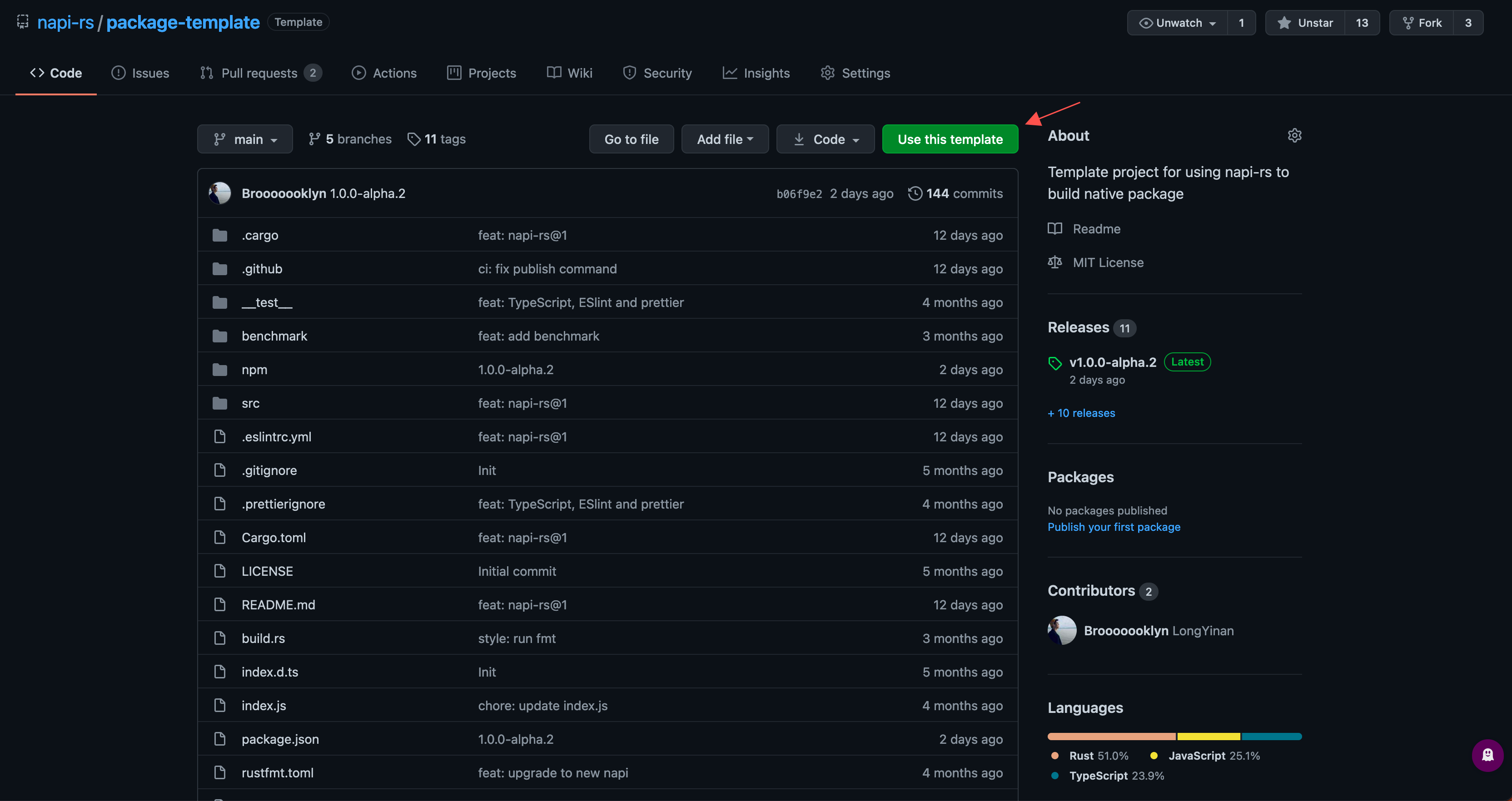
If you prefer GitHub's **Use this template** flow, choose the matching project:
- [Yarn package template](https://github.com/napi-rs/package-template)
- [pnpm package template](https://github.com/napi-rs/package-template-pnpm)
After cloning, install dependencies and run `napi rename` through the selected
package manager before publishing under your own package name.
## Next steps
- [`napi new`](/docs/cli/new) for every scaffold option.
- [Build](/docs/cli/build) and [Cross build](/docs/cross-build) for additional
targets.
- [Release native packages](/docs/deep-dive/release) before publishing anything
to npm.